January 5, 2026

Major Avalonia upgrade for cross-platform support, enhanced downloads management, error tracking with Glitchtip, and improved build handling


Want to see ALL the differences? Check out our comprehensive comparison between Game Launcher Cloud and Game Launcher Asset (legacy): 👉 Full Features Comparison List


🖥️ Desktop

🚀 Cross-Platform Support with AvaloniaUI

  • Full multi-platform compatibility - Windows, macOS, and Linux support

  • Built on .NET 10 - latest framework with best performance

  • C# 14 language features - modern syntax and capabilities

  • Native performance across all platforms

  • Modern UI framework with better maintainability

  • Smooth animations and transitions throughout the app

  • Improved rendering with platform-specific optimizations

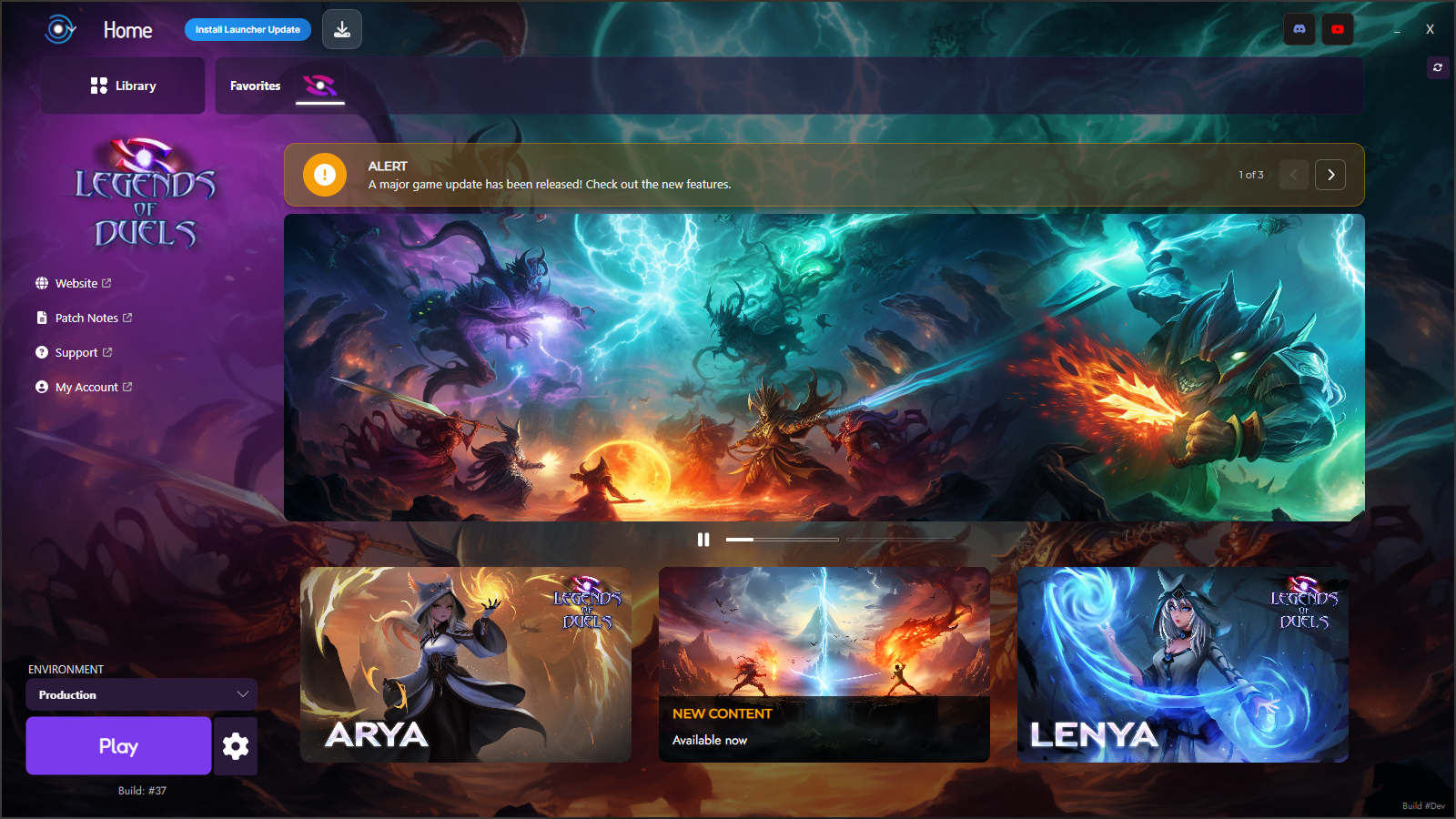
NEW - Game Launcher Cloud with AvaloniaUI
🐛 Error Tracking with GlitchTip

  • Automatic crash reports sent when errors occur

  • Detailed error context including launcher configuration and user data

  • Real-time error monitoring for faster issue resolution

  • Privacy-focused - only essential diagnostic data is sent

  • Helps improve stability by identifying and fixing bugs quickly

Impact: We can now proactively identify and fix issues before they affect most users, leading to a more stable launcher experience.


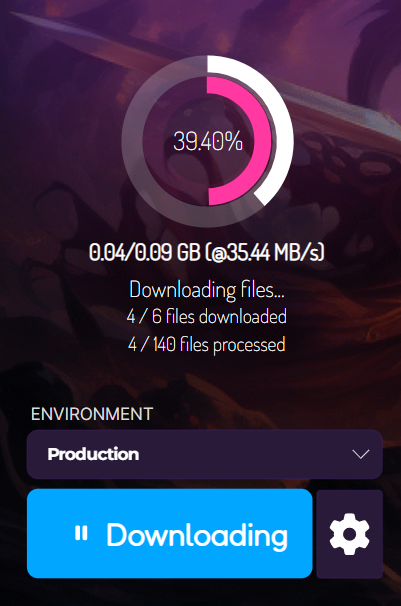
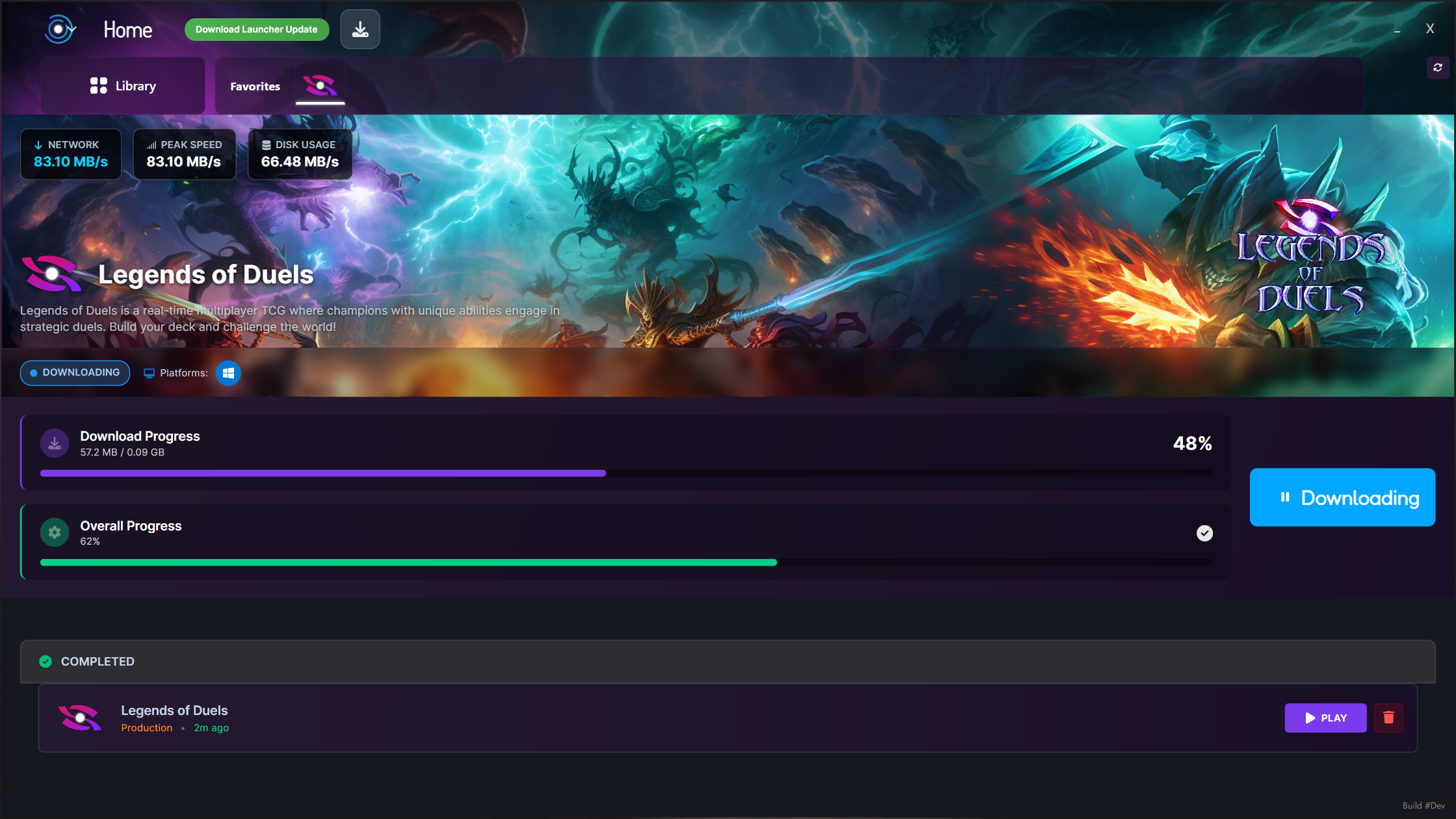
📥 Downloads Page - Enhanced Download Management

  • Detailed download information - progress, speed, ETA, and status

  • Navigate between games without interrupting current downloads

  • Pause and resume downloads with full state preservation

  • Download statistics - current speed, average speed, total downloaded

  • Environment badges showing which environment is downloading

  • Status indicators for install/update/verify states

  • Visual progress tracking with multi-process progress bars

  • Background blurred image with glassmorphism effects

Key Features:

  • Game description display in download cards

  • Play completed downloads directly from the downloads page

  • Remove completed downloads from the list

  • Real-time status updates with dynamic icons and messages

  • Beautiful glassmorphism UI with acrylic blur effects

NEW - Downloads Page

🎨 Visual & UI Improvements

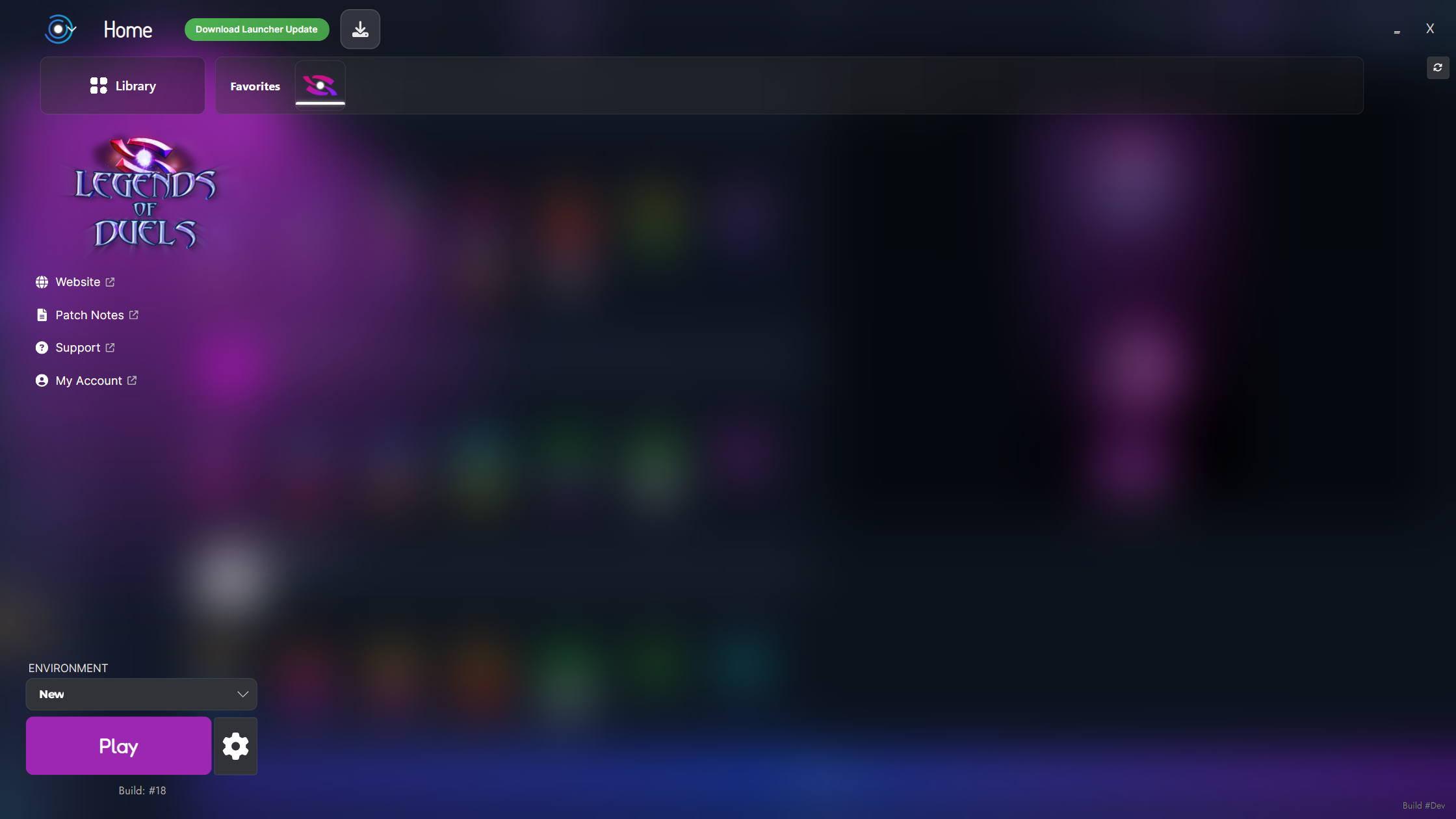
Acrylic Blur Windows

  • System-native acrylic blur on all windows for modern glass effect

  • Dynamic transparency based on developer configuration (set in Dashboard)

  • Configurable launcher base opacity (0-100%) set by developers

  • Improved visual consistency across the entire launcher

  • Respects developer's visual design choices

NEW - Acrylic Blur Background

New "Black" Theme

  • New professional Black theme preset

  • Enhanced Gray theme option

  • Better contrast for improved readability

  • Modern dark mode aesthetics

NEW - Black Theme with black accent color and blur
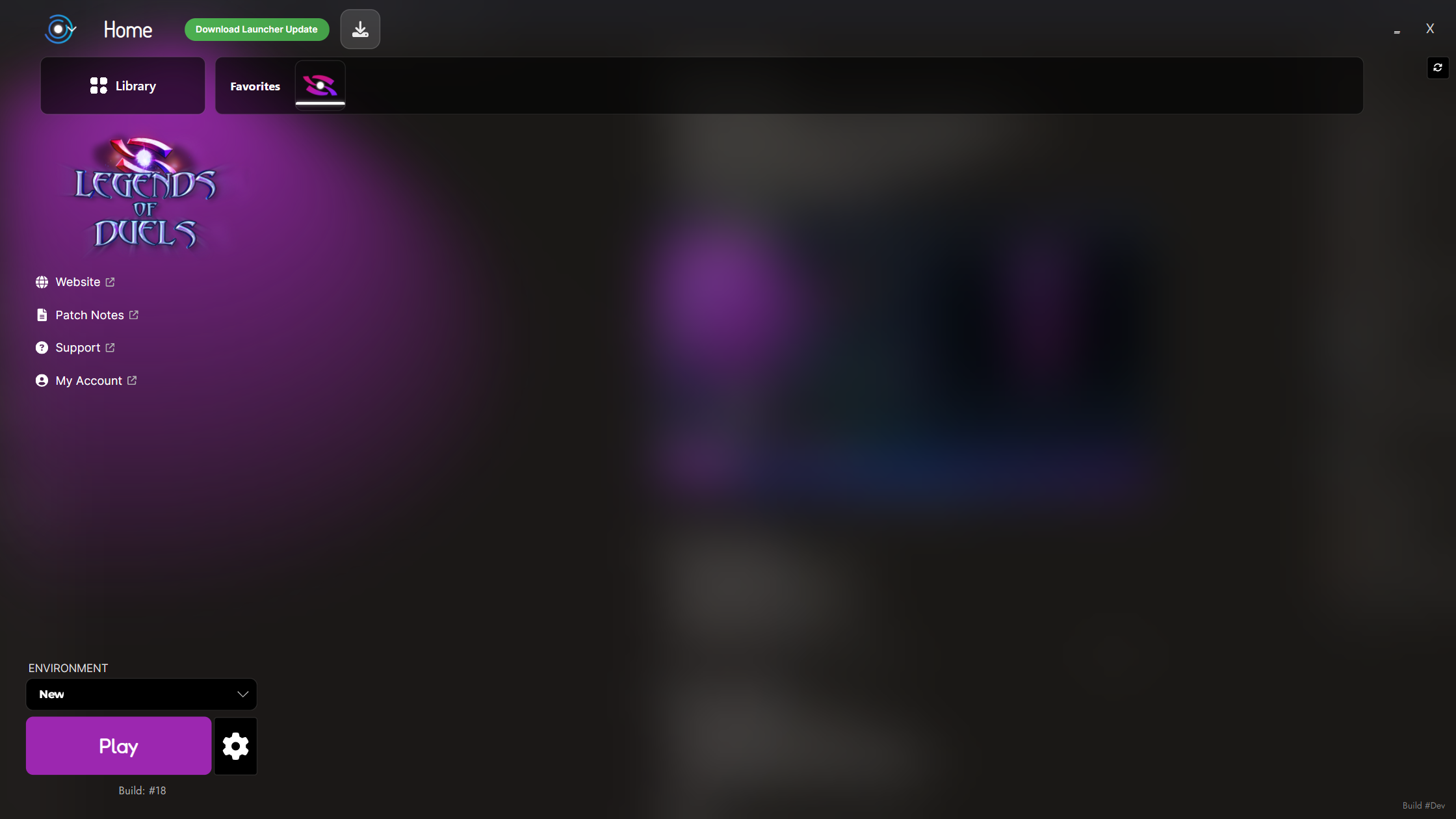
NEW - Black theme with purple accent color and blur
Customizable Progress Bars Colors

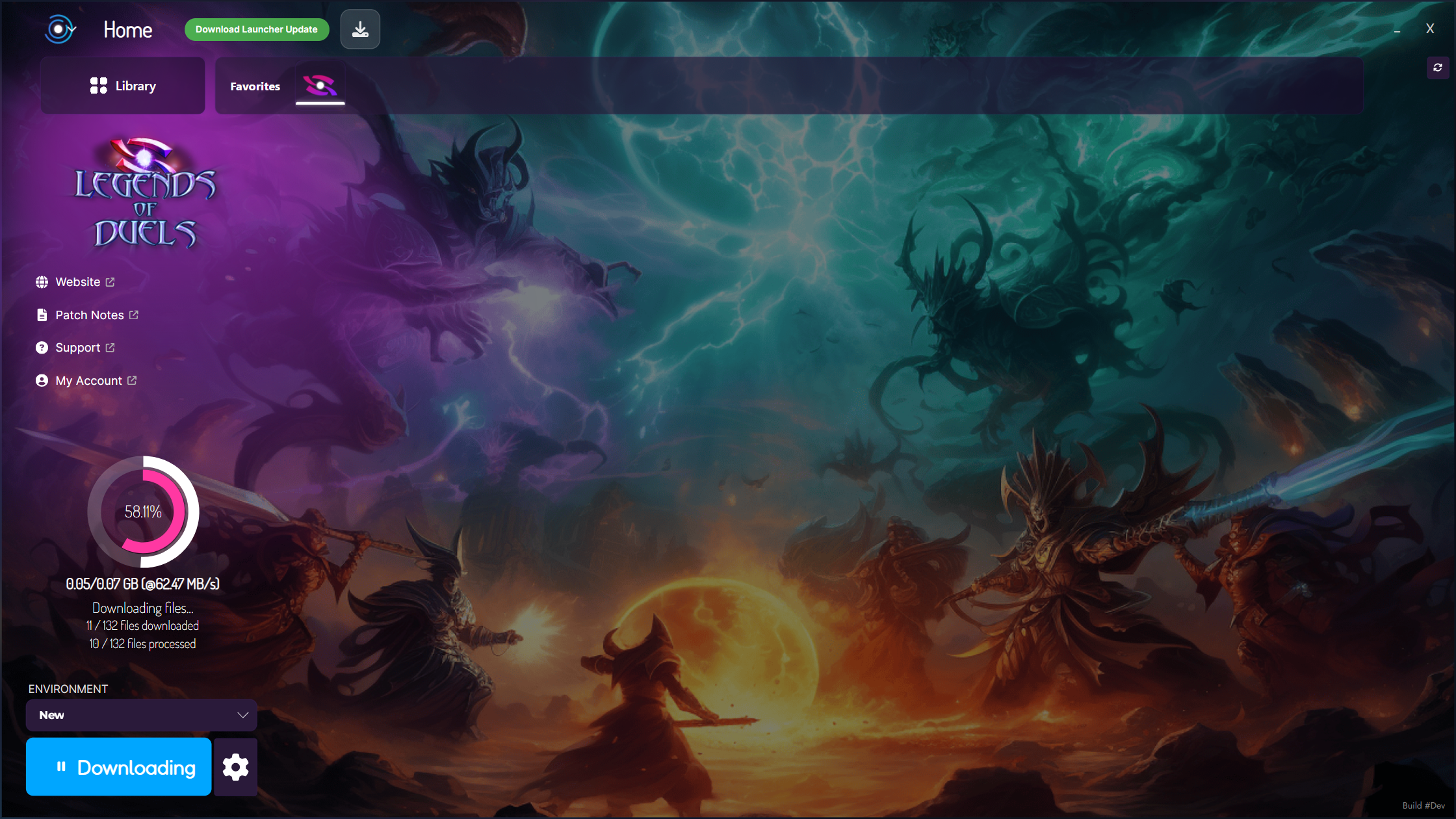
  • Custom Overall Progress color: customizable via Dashboard

  • Custom Single Process Progress color: customizable via Dashboard

NEW - Custom colors for the progress bars
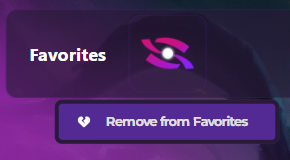
Draggable and new Delete dropdown for Favorites Apps

  • Favorites apps are now draggable to reorganize them

  • Right click to the app to open the dropdown and remove it from favorites
NEW - Right click to the app to open the dropdown

Enhanced Animations

  • Smoother transitions between views

  • Improved fade effects for panels and windows

  • Better splash screen animation with optimized timing

  • Animated navigation for news and content views

UI Polish

  • Revamped ComboBox styles with better visual feedback

  • Professional gradient backgrounds on windows and dialogs

  • Improved button hover effects with better visual feedback

  • Refined progress bar styles with theme-aware colors

  • Enhanced news slideshow with better navigation indicators


🎮 Installation & Environment Management

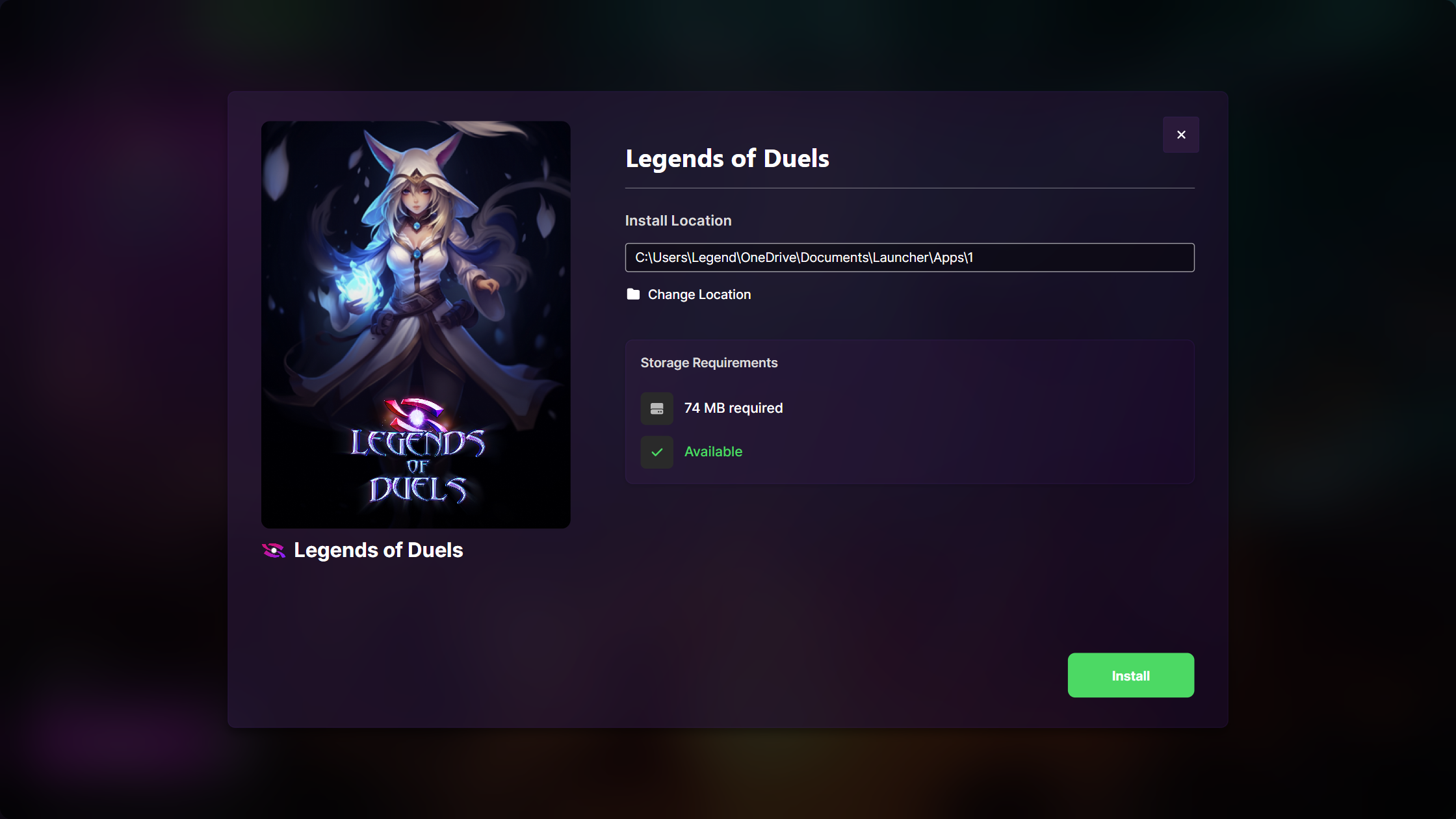
Installation Window UI Improvements

  • Refined App Cover

  • Redesigned Storage Requirements section

App Installation Window UI Improvements

Move Installation per Environment Feature

  • Relocate game installations to any folder

  • Preserves all game data and settings

  • Progress tracking during move operation

  • Validation checks to ensure move completed successfully

NEW - Move Installation Files

Improved Uninstall System

  • Environment-specific uninstall - remove individual environments

  • Single unified window for uninstall operations

  • Progress feedback during uninstallation

  • Success and error state handling

  • Clear confirmation dialogs with async operations

NEW - Uninstall System with progress
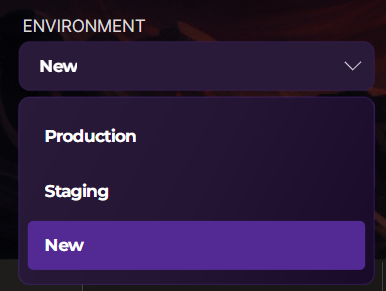
Enhanced Environment Handling

  • Fixed installation path detection - launcher now correctly identifies installed games

  • Environment subdirectory support - folders (production/staging) properly handled

  • Prevented environment switching during downloads or patching

  • Game switch prevention - can't change games while installing/patching

  • Smart environment selector - automatically disabled during operations

  • System folder protection - prevents selecting system directories for installation

Environments Dropdown

⚙️ Launcher Settings Enhancements

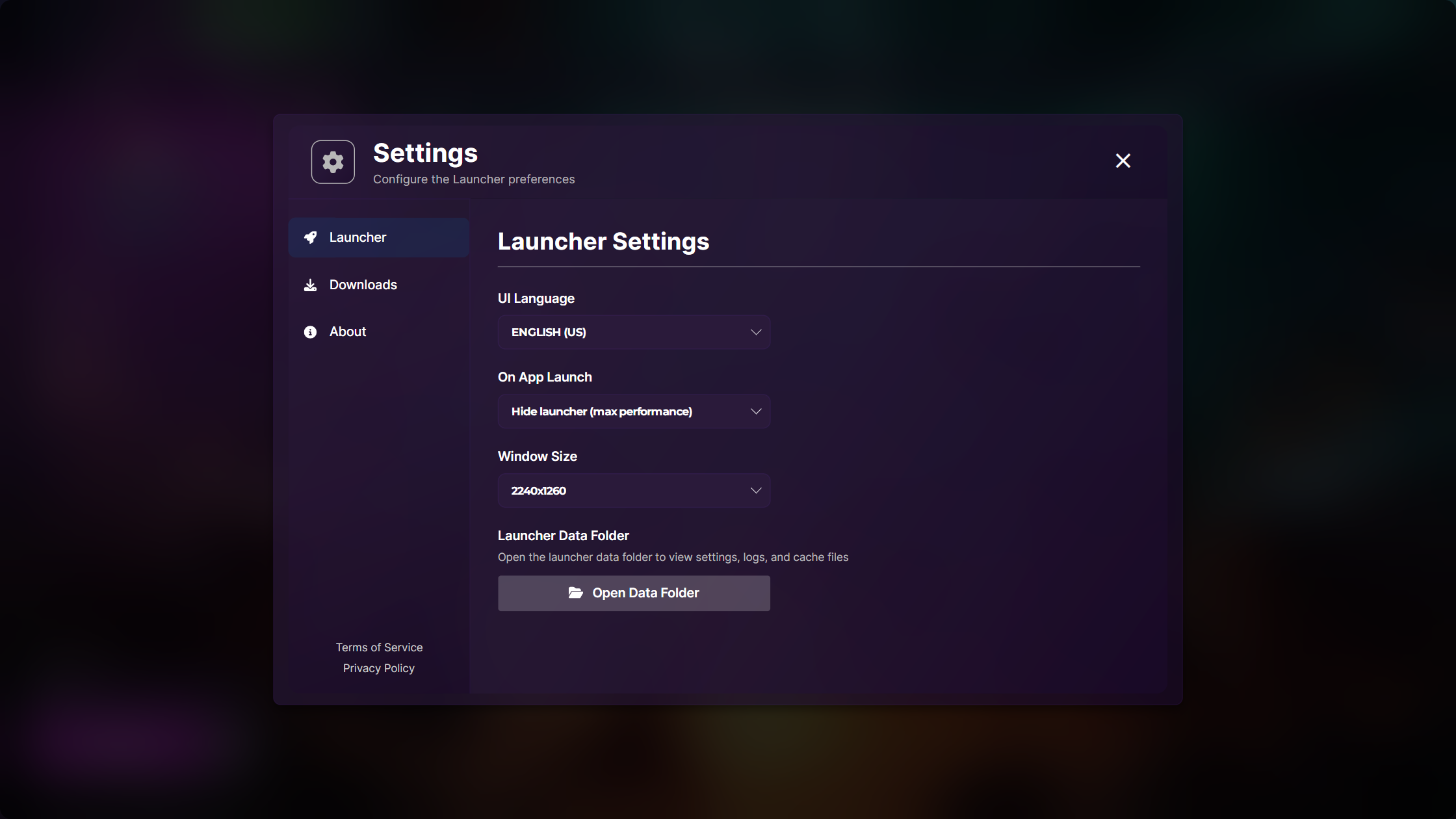
New Settings Options

  • On App Launch behavior:

    • Minimize to tray

    • Minimize to taskbar

    • NEW: Hide completely for maximum performance

  • Open Cache Folder button for easy access

NEW - Launcher Settings options

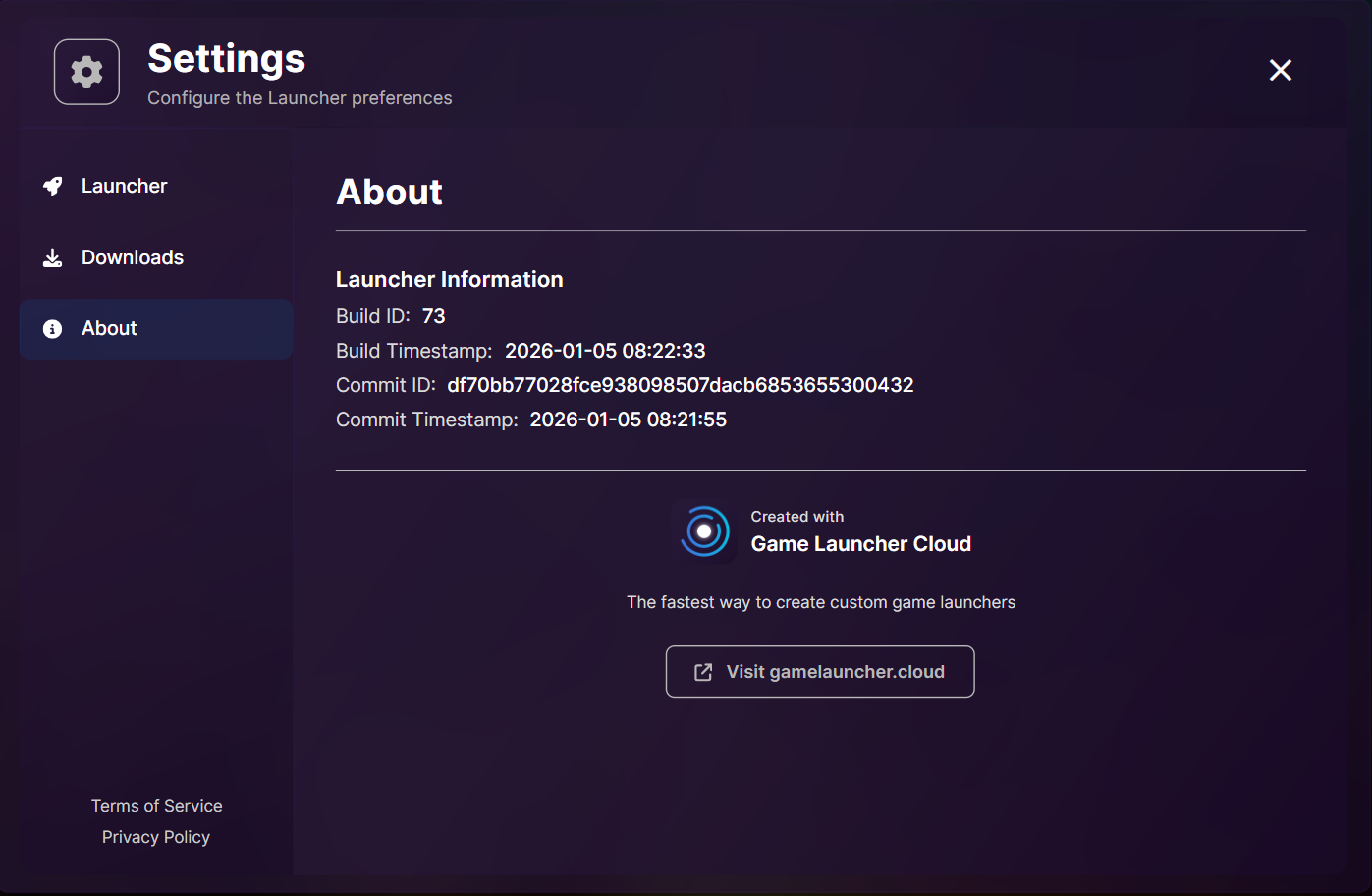
About Screen

  • Launcher version information

  • Build ID, Timestamp, and commit details

  • Watermark (Can be disabled for PRO or superior plans)

NEW - About Tab in Launcher Settings

New Social Platform Support

  • Patreon - support link

  • Reddit - community link

  • Kickstarter - crowdfunding campaigns

  • Telegram - chat community

  • Threads - social updates

  • Custom Link - configurable URL with custom text

All supported links

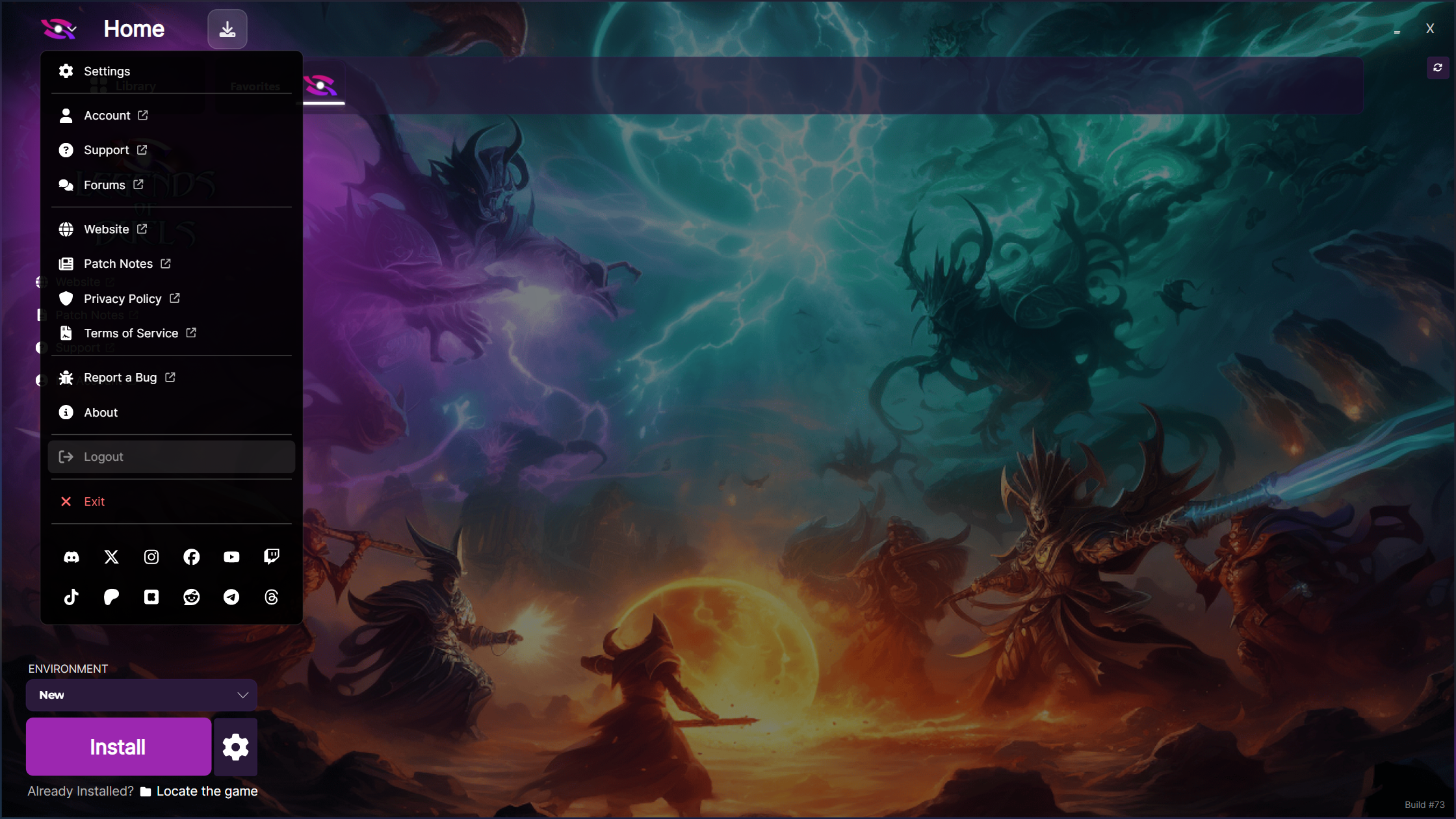
Logo Dropdown Menu

  • Quick access to all important links

  • Privacy Policy and Terms of Service links

  • All social media links in one place

  • Dynamic visibility based on launcher configuration

  • Beautiful styling with separators and icons

  • Logout button (ready for Login System)

NEW - Launcher Dropdown

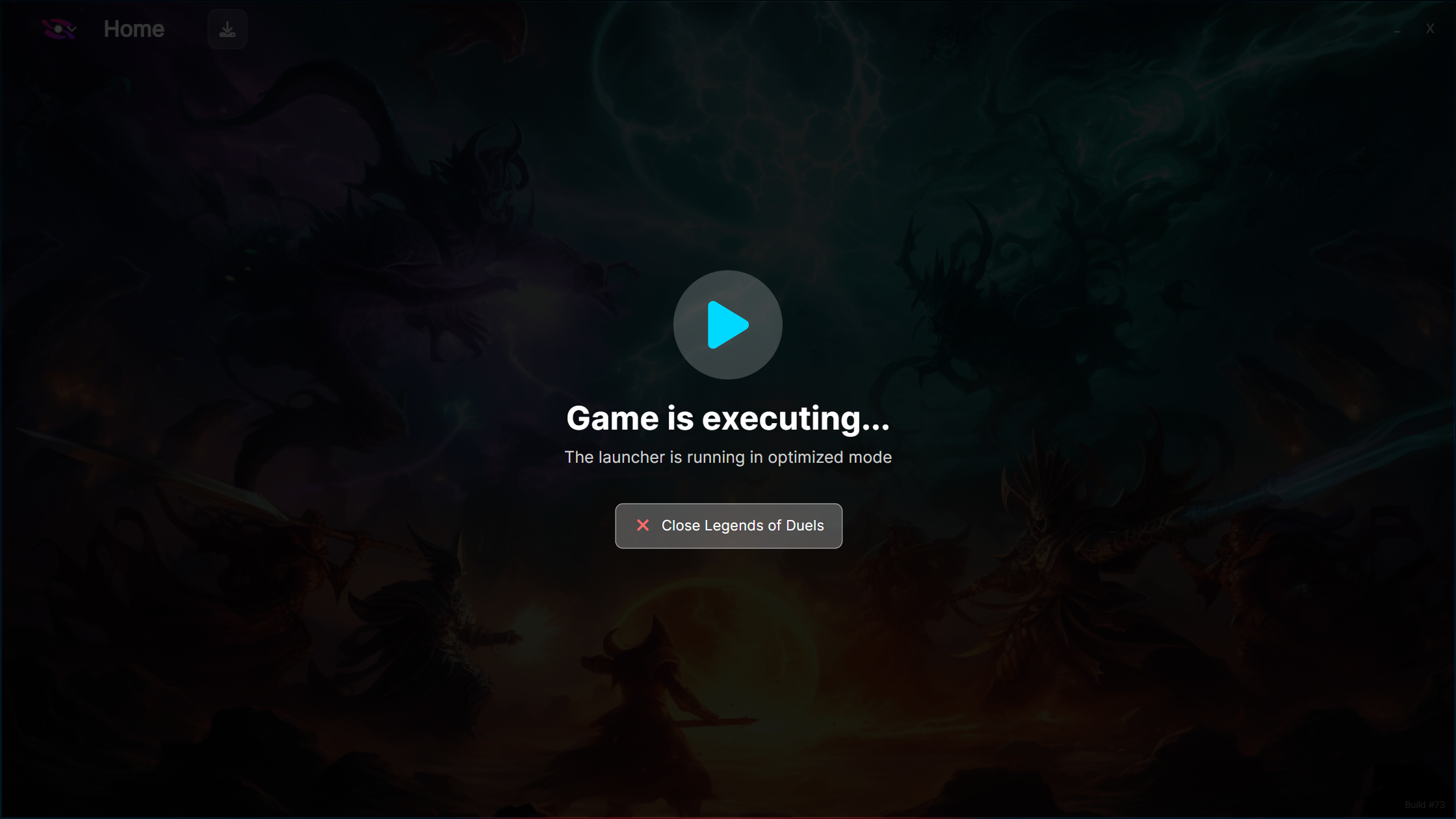
🎯 Optimized Mode Improvements

  • Even lower resource usage when games are running

  • Hide completely option - launcher fully hidden for maximum performance

  • Memory usage logging for performance monitoring

  • Process monitoring in Optimized Mode UI

  • Support for secondary executables - launch and track multiple game processes

  • Separate close buttons for primary and secondary executables

  • "Close Game" button to terminate running games from launcher

  • Better cleanup routines with detailed logging

  • Improved exit handling with error recovery

NEW - Launcher optimized mode

🔒 Security & Permissions

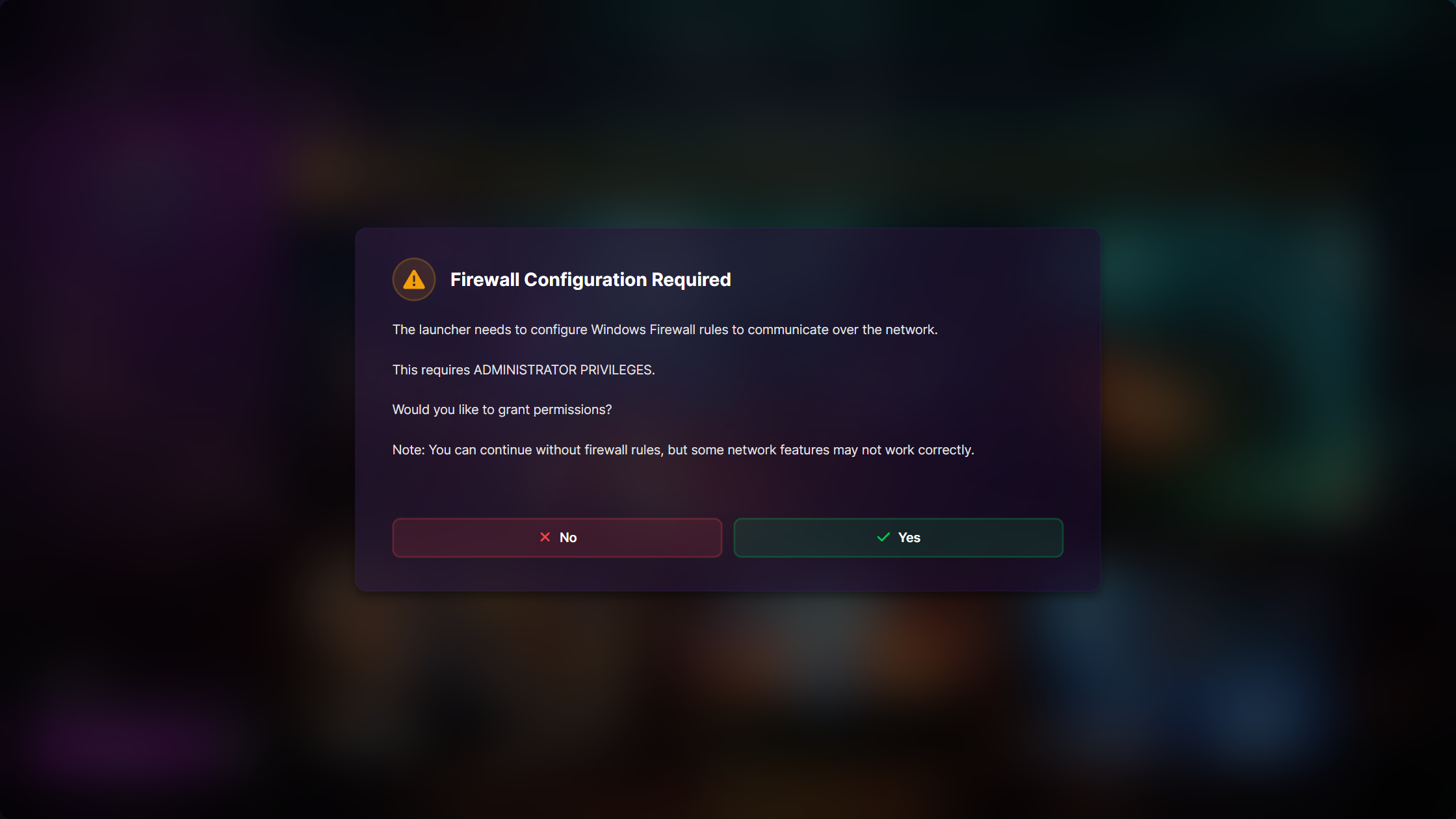
Windows Firewall Integration

  • Permission request dialog for firewall exceptions

  • Automatic rule creation when approved

  • Elevation request when administrative rights needed

  • Clear user communication about security requirements

  • Graceful handling when permissions denied

NEW - Firewall permission request

💾 Data Storage Improvements

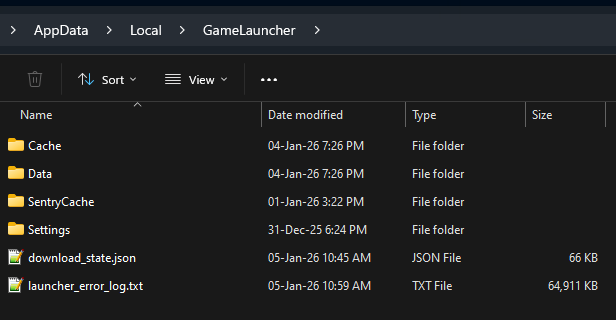
Standard-Compliant Storage Locations

  • Logs, cache, and settings now stored in platform-standard locations

  • Automatic migration from old configuration files

  • Better organization of launcher data

  • Easier to find and backup settings

AppData Directory (Persistent Data)

Location: %LocalAppData%\GameLauncher\

Temp Directory (Temporary Files)

Location: %temp%\GameLauncherCache\

NEW - Launcher Persistent Data structure

Enhanced Logging

  • Improved error logging with better context

  • Detailed flow markers for initialization

  • Thread-safe logging across services

  • Better diagnostic information for support


🎨 Watermark System

  • Branded watermark on splash screen and main window launcher dropdown and about launcher settings

  • PRO+ plan feature - disable watermark completely

  • Loads from cached manifest for offline support

Watermark in Splash Screen
Watermark in Launcher Settings About Tab
Watermark in Launcher Menu Dropdown
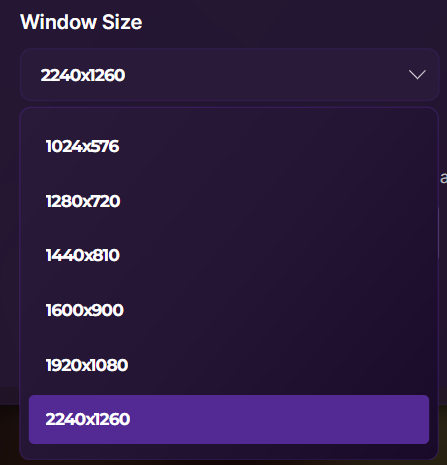
🪟 Window Management

Dynamic Resolution Support

  • Expanded resolution range - from 640x360 to 8K (7680x4320)

  • Fixed scaling issues at smaller and very resolutions

  • Perfect ultra-wide monitor support

  • Native 4K and 8K display support

Taskbar Integration

  • System tray icon support with context menu

  • Show Launcher / Exit functionality

  • This prepares the Launcher for built-in notifications

NEW - Taskbar Launcher Icon

📊 News & Content Improvements

News Content Improvements

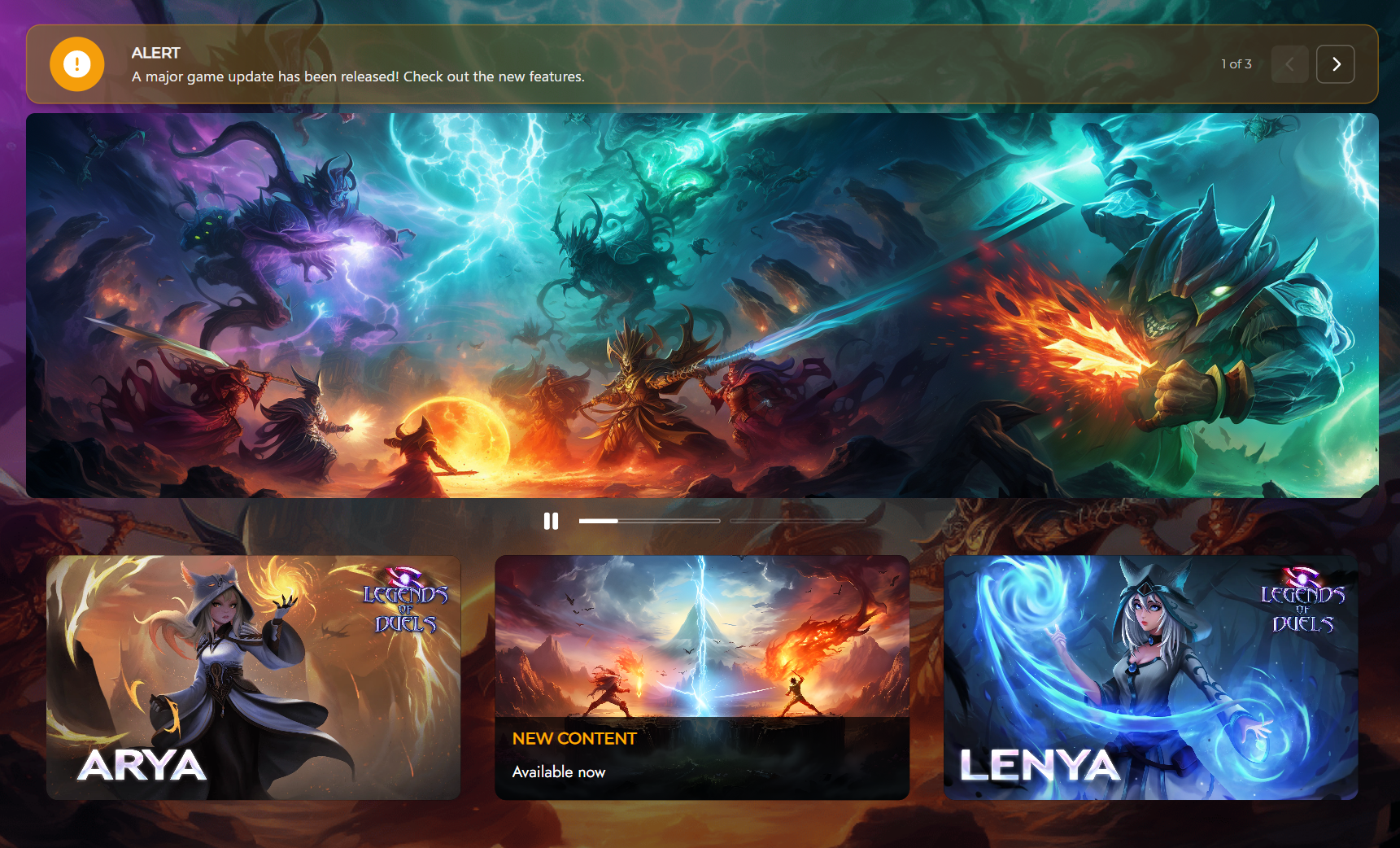
Slideshow Enhancements

  • Fixed play/pause logic with correct icon states

  • Improved progress indicators with better styling

  • Font icon support for play/pause buttons

  • Better image loading with caching

  • Animated navigation between news items

NEW - Slideshow progress indicators

🔄 Status & Progress Tracking

Enhanced Status Management

  • Real-time status updates across all UI elements

  • Thread-safe status changes with proper dispatching

  • Better error state handling with user-friendly messages

  • Status indicators with dynamic icons

  • Progress bar integration across download/install/patch operations

Improved Progress Details

Download Monitoring

  • Debounced image cache saves to prevent excessive disk writes

  • Optimized background image loading for better responsiveness

  • Real-time speed and ETA calculations

  • Multi-process progress tracking


🏗️ Architecture & Code Quality

MVVM Pattern Refinement

  • Strict MVVM implementation across all controls

  • Dedicated ViewModels for each custom control

  • Better separation of concerns between UI and logic

  • Reactive properties with proper notifications

  • OnPush change detection for better performance

Service Refactoring

  • Feature-based namespace organization

  • Dependency injection for all services

  • Shared state management between services

  • Better service lifecycle management

  • Cleaner service interfaces

Code Cleanup

  • Removed unused code and obsolete files

  • Consistent naming conventions throughout codebase

  • Better documentation with XML comments

  • Improved error handling with structured logging

  • Resource optimization for better performance


🐛 Bug Fixes

Installation & Updates

  • Fixed game status not updating after download completion

  • Fixed installation detection across different environments

  • Fixed concurrent access errors during file operations

  • Fixed game not showing as installed when folder exists

  • Fixed version text visibility when game is not installed

  • Fixed update button progress bar state handling

UI & Visual

  • Fixed window transparency mode application timing

  • Fixed splash screen fade-out timing issues

  • Fixed news content not clearing on environment change

  • Fixed slideshow pause on timer-driven index change

  • Fixed favorite games normalization and ordering

  • Fixed alert dropdown positioning at different resolutions

Downloads & Patching

  • Fixed download progress not updating in all UI elements

  • Fixed pause/resume download state synchronization

  • Fixed status text updates during download operations

  • Fixed environment color not showing in downloads list

General

  • Fixed memory leaks in image cache management

  • Fixed thread safety issues in various services

  • Fixed crash on startup with certain configurations

  • Fixed watermark not loading from cached manifest


🖥️ Dashboard

🎨 Appearance Customization

Window Transparency Settings

  • Window transparency mode toggle - enable/disable acrylic blur for your launcher

  • Launcher base opacity slider (0-100%) - control window opacity

  • Real-time preview of transparency changes in Dashboard

  • Per-launcher configuration - different settings for each project

  • End users see the design you configure - no user-side customization

Developer Control: These settings allow you to design your launcher's visual appearance. End users will see exactly what you configure in the Dashboard.

NEW - More Launcher Appearance options
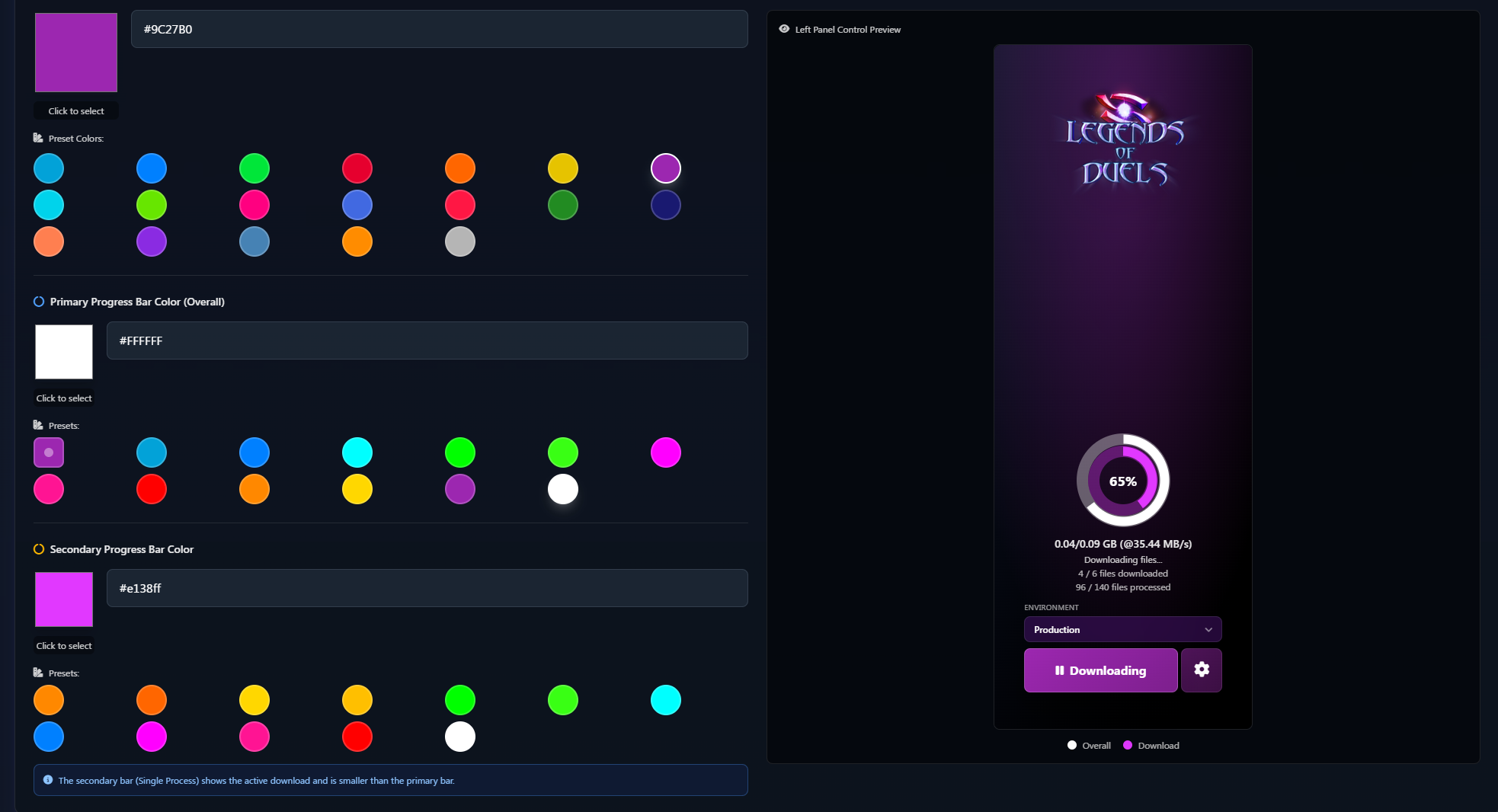
Progress Bar Customization

  • Primary progress bar color - main progress indicator

  • Secondary progress bar color - background/track color

  • Color picker with hex code support

  • Theme preset integration - Black and Gray themes

NEW - Left Panel Preview with Progress Bar Colors

Theme Presets

  • Separate Black and Gray theme options for better variety

  • Enhanced theme color presets documentation

  • Better visual feedback in theme selection

NEW - Black Theme Presets

Watermark Control

  • Watermark toggle in launcher appearance settings

  • Exclusive to PRO plans and above

  • Clear indication of premium feature status

NEW - Show Game Launcher Cloud Toggle

  • Forums URL - link to community forums

  • Patreon - support your project

  • Reddit - community discussions

  • Kickstarter - crowdfunding campaigns

  • Telegram - instant chat community

  • Threads - social media updates

  • Custom link - any URL with custom label

NEW - More Social Media Links

🏗️ Build Management

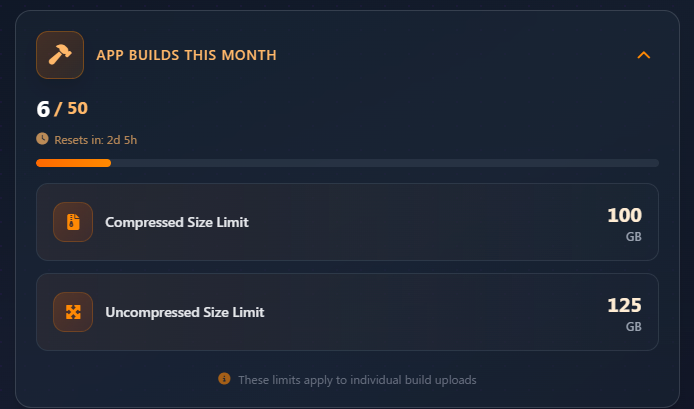
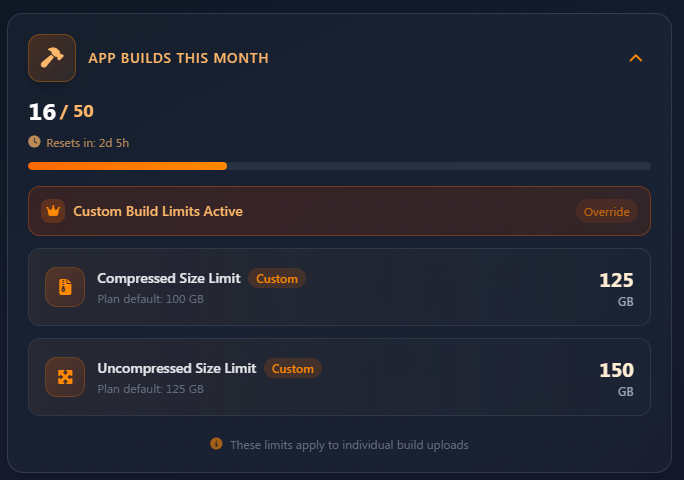
Build Size Limits and Custom Build Size Limits

  • Build size limits by your plan

  • Custom size limits for specific users

  • Temporary overrides with expiration dates

NEW - Build Size Limits
NEW - Custom Build Size Limits

Build Filtering & Sorting

  • Filter builds by status and environment

  • Sortable columns in builds table

  • Pagination support for app builds list

  • Better build display performance with lazy loading

NEW - Filters for App/Launcher builds

NEW - Pagination for App/Launcher builds
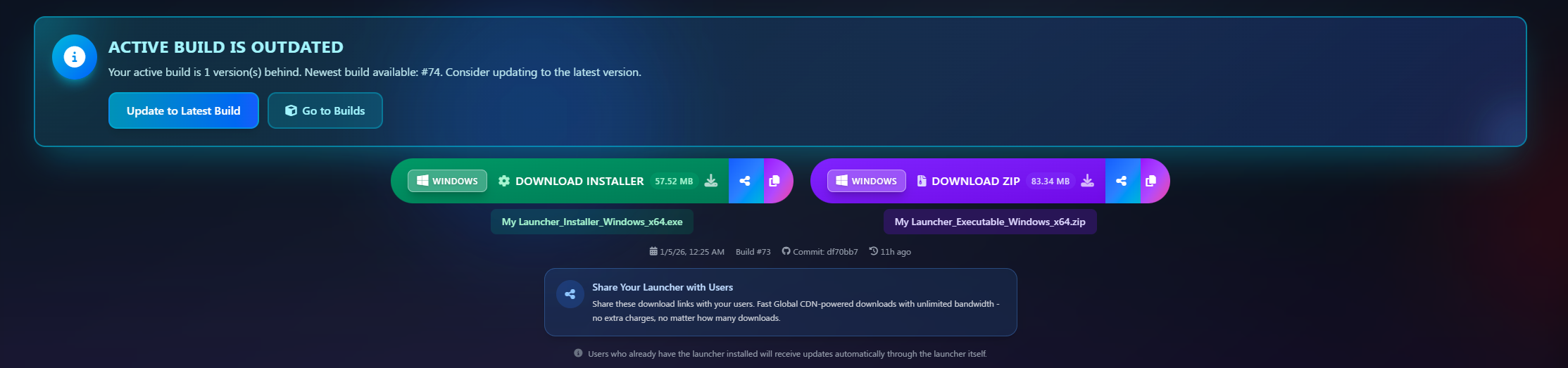
Build Actions

  • 'Update to Latest Build' action in builds alert

  • Admin build cancellation from dashboard

  • Preparing upload indicator for better feedback

  • Improved formatting of build information

Improved Active Build is outdated message and added buttons
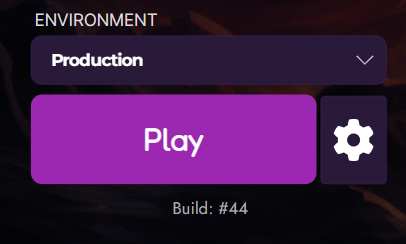
Custom Versioning

  • Custom version format configuration

  • Flexible versioning schemes (semantic, date-based, custom)

  • Validation for version format

  • Display customization in launcher

  • Per-build versioning control

NEW - Custom Versioning | Build format | in the Launcher
NEW - Custom Versioning | Custom version format | in the Launcher

Now you can set the Version Display Format in App Builds

NEW - Version Display Format in App Builds
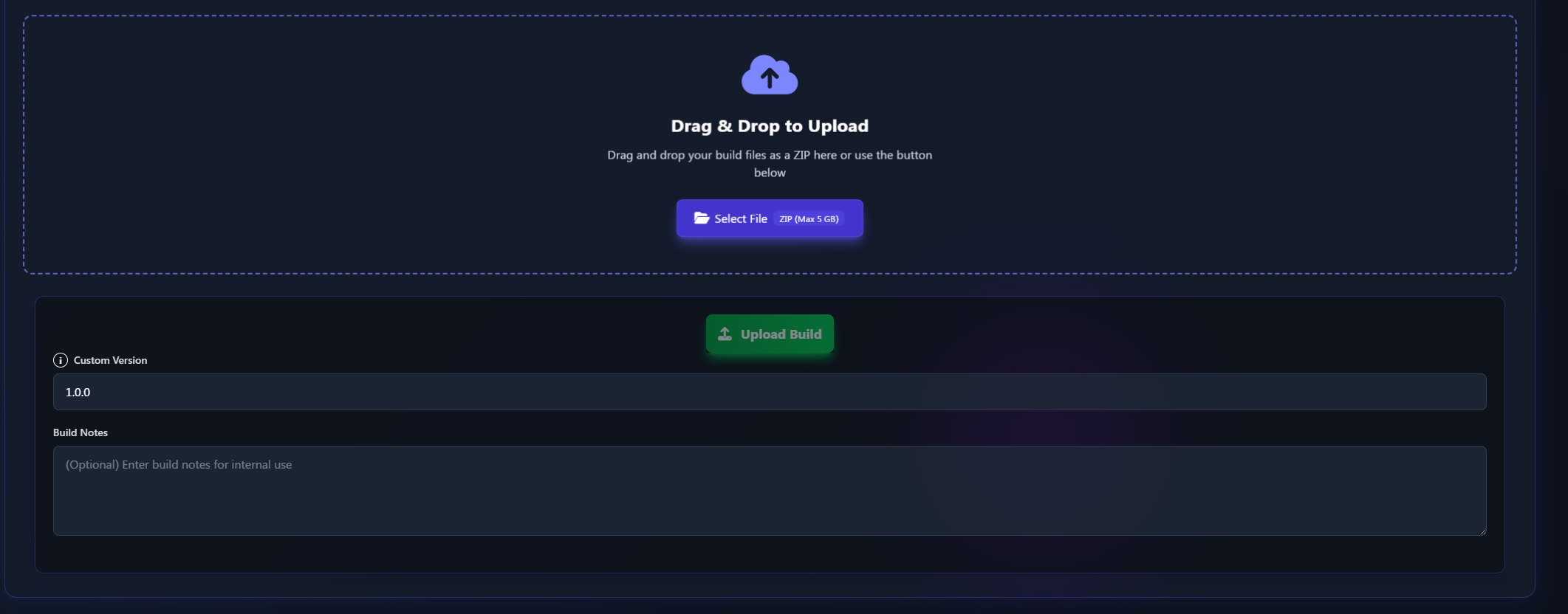
Assign it when uploading a build

NEW - Add custom version on build upload
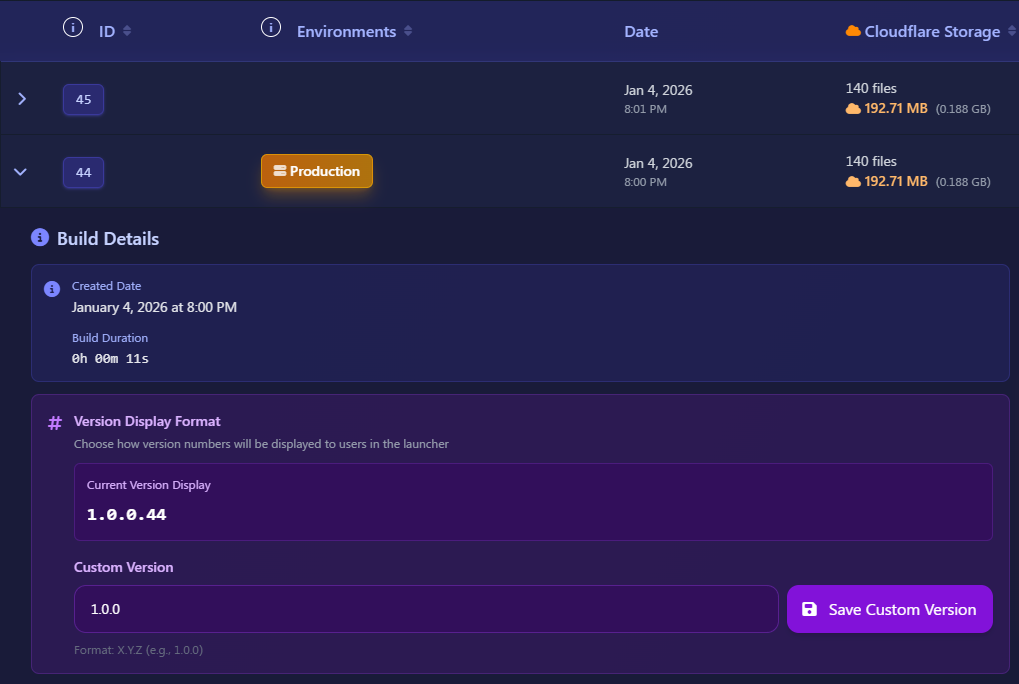
Also assign it for each build


🔐 CLI Authentication

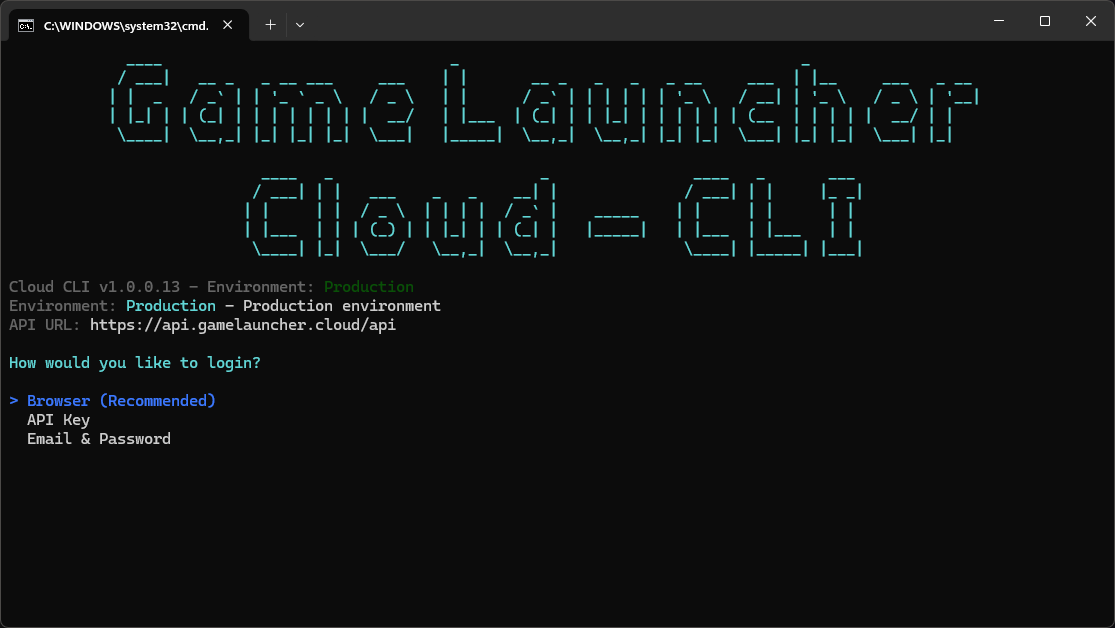
  • New CLI authentication page in dashboard

  • Browser-based login flow - no more manual token copy/paste

  • Secure token exchange between browser and CLI

  • Automatic authentication after browser approval

  • Faster poll intervals (3 seconds) for quick authentication

  • 1-minute timeout for authentication attempts

Impact: CLI authentication is now seamless - just run the login command and approve in your browser!

NEW - Browser Login

✍️ News Editor Enhancements

AI-Powered Content Generation

NEW - News Per field AI Generator
  • AI title generation - suggest engaging titles

  • AI description writing - create compelling descriptions

  • Section-specific generation - target specific content areas

  • AI revert functionality - undo AI suggestions

  • Content merging - combine AI output with existing content

  • Smart prompting - context-aware AI suggestions

Editor Improvements

  • Enhanced sub-news editor UI

  • Better layout options markup for clarity

  • Improved content section layout

  • Checkbox tooltips for better guidance

  • Secondary executable labels updated


🎯 Performance Optimizations

Frontend Performance

  • OnPush change detection strategy across components

  • RxJS takeUntilDestroyed for better memory management

  • Computed signals for reactive updates

  • Virtual scrolling experiment (reverted for stability)

  • Reduced unnecessary re-renders

Code Quality

  • Refactored translation pipe usage

  • Improved formatting and readability

  • Better component organization

  • Cleaner template syntax


💼 Plan & Pricing Updates

Enterprise Plan

  • 50 App builds per month (up from previous limit)

  • 50 Launcher builds per month

  • 100GB ZIP file limit for builds

  • 125GB extracted size limit for builds

  • Enhanced support and features

Plan Features

  • Updated plan limits documentation

  • Better feature visibility in UI

  • Clearer premium feature indicators


🐛 Bug Fixes

Dashboard

  • Fixed indentation and whitespace in builds tab

  • Fixed badge markup for improved readability

  • Fixed layout option rendering in news editor

  • Fixed admin menu item template formatting

  • Fixed copyright year updated to 2026

  • Fixed appearance tab overlay z-index issues

Build System

  • Fixed active job count calculation (excluded deleted builds)

  • Fixed build count validation for subscription plans

  • Fixed build display filtering by date range

General

  • Fixed enableForumsUrl synchronization with form changes

  • Fixed custom version validation logic

  • Fixed build settings singleton registration


🔧 Backend (API)

🚀 Technology Upgrades

ASP.NET 10.0 Migration

  • Latest ASP.NET and .NET 10 for best performance

  • C# 14 language features for modern, clean code

  • Improved async/await patterns

  • Better garbage collection

  • Enhanced security features

  • Native AOT support improvements


🐛 Error Tracking with GlitchTip

  • Sentry-compatible error tracking with GlitchTip

  • Detailed error context in API requests

  • Real-time error monitoring for production issues

  • Railway deployment support for GlitchTip

  • Health check integration for monitoring

  • Configurable DSN per environment (Backend/Launcher)

Benefits:

  • Proactive bug detection

  • Faster issue resolution

  • Better error insights

  • Production stability monitoring


🔐 CLI Authentication

  • New authentication endpoints for CLI browser flow

  • Secure token generation and exchange

  • Session management for CLI authentication

  • Browser-based approval system

  • 1-minute authentication timeout

  • Automatic token refresh support

Endpoints:

  • POST /api/auth/cli/initiate - Start authentication flow

  • POST /api/auth/cli/approve - Approve from browser

  • GET /api/auth/cli/poll - Check authentication status


🏗️ Build Management

Custom Build Size Limits

  • AppBuildSettings service for custom limits

  • Expiration date support for temporary overrides

  • Admin-only configuration endpoints

  • Automatic filtering of expired settings

  • Extended timeouts for builds up to 150GB

  • Quota service integration for limit checks

Build Filtering & Pagination

  • Filter builds by status and environment

  • Sort builds by various fields

  • Pagination support for large build lists

  • Optimized queries for better performance

  • Reduced payload sizes with DTO optimization

Custom Versioning

  • Custom version formats per app

  • Flexible version validation

  • Version format configuration in app settings

  • Display version customization in builds

  • Backward compatibility with existing versions


📦 Compilation & Deployment

Avalonia Launcher Support

  • Cross-compilation libraries for Avalonia

  • Platform-specific dependencies handling

  • Single-file output optimization

  • Native AOT compatibility preparation

  • Assets directory support in deployment

Build Process Improvements

  • ResponseHeadersRead in HTTP requests for zipping

  • Optimized dotnet publish commands

  • Better ZIP footer handling for large files

  • Improved central directory handling for large ZIPs

  • Enhanced error logging during compilation


🔒 Security & Permissions

Premium Features Enforcement

  • Plan validation before feature activation

  • Clear error messages for insufficient permissions

  • Audit logging for premium feature usage

API Security

  • Updated Swagger/OpenAPI documentation

  • Better authentication flows

  • Token expiration handling

  • Rate limiting improvements


📊 Quota & Limits

Quota Service Enhancements

  • Launcher build count uses QuotaService

  • Better quota validation logic

  • Clear error messages when limits exceeded

  • Accurate usage tracking across resources

Plan Limits

  • Enterprise plan updates:

    • 50 App builds/month

    • 50 Launcher builds/month

    • 100GB ZIP limit

    • 125GB extracted limit


🗃️ Database & Migrations

New Migrations

  • SentryConfiguration migration for error tracking

  • AddMissingChanges migration for new features

  • AppBuildSettings table for custom limits

  • Social links columns in App and Launcher models

  • Progress bar colors in appearance settings

Model Updates

  • Opacity and transparency fields in Launcher

  • Custom version format in App and Build models

  • App description in LauncherProjectDto

  • Build settings with custom size limits


🔧 Configuration & Documentation

API Documentation

  • Refactored XML documentation across controllers

  • OpenAPI/Swagger updates for new endpoints

  • Consistent doc comments in models

  • Better endpoint descriptions

Backend Instructions

  • Renamed and relocated Copilot instructions

  • Updated architecture documentation

  • Better coding guidelines

  • Improved project structure notes


📧 Email Templates

  • Copyright year updated to 2026 in all templates

  • Better email formatting

  • Consistent branding across communications


🐛 Bug Fixes

Build System

  • Fixed active job count calculation excluding deleted builds

  • Fixed build count validation for subscription plans

  • Fixed custom version validation logic

  • Fixed build settings registration as singleton

  • Fixed ZIP footer handling for large central directories

Compilation

  • Fixed dotnet publish optimization flags

  • Fixed user mapping in compilation steps

  • Fixed Assets directory references

  • Fixed cross-compilation library references

API

  • Fixed OpenTelemetry and Prometheus integration (disabled for stability)

  • Fixed Stripe promotion code handling

  • Fixed AutoMapper configuration with version downgrade

  • Fixed Docker configuration for .NET 10.0

General

  • Fixed HasLinkedApps calculation in repository

  • Fixed filtering of expired build settings

  • Fixed Sentry DSN configuration per environment


🧰 GameLauncherCore (Library)

🚀 Performance & Reliability

Download Optimization

  • Optimized bundle download planning logic

  • Better file download error handling

  • Improved extraction reliability with retry logic

  • Smarter chunk processing for large files

PatchUtils Improvements

  • Prevents multiple patch processes running simultaneously

  • Better resource management during patching

  • Mutex-based locking for process synchronization

  • Clearer error messages when patch already running


🔧 Build & Deployment

.NET 10.0 Update

  • Updated to .NET 10.0 for latest features and performance

  • Assembly version bumped to reflect update

  • Better compatibility with new launcher


🐛 Bug Fixes

  • Fixed bundle download planning edge cases

  • Fixed file extraction errors with large archives

  • Fixed concurrent access issues in patch operations

  • Fixed memory usage during large file processing


🖥️ CLI (Command-Line Tool) updated to 1.0.0.12

🔐 Browser-Based Authentication

  • No more manual token copy/paste required

  • Browser opens automatically during login

  • Approve authentication in your browser

  • Automatic token exchange between CLI and browser

  • 3-second poll intervals for fast authentication

  • 1-minute timeout for authentication attempts

  • Clear status messages during authentication flow

Usage:


🐛 Error Tracking with GlitchTip

  • Sentry integration for error tracking

  • Global scope context with user and system info

  • Automatic crash reporting

  • Better error diagnostics for support

  • Privacy-focused error collection


🚀 Technology Upgrades

.NET 10.0 Migration

  • Updated to .NET 10 with C# 14 for best performance

  • Modern language features from C# 14

  • Improved build scripts for .NET 10.0

  • Better async/await patterns

  • Enhanced CLI performance


🐛 Bug Fixes

  • Fixed authentication timeout handling

  • Fixed browser launch on different platforms

  • Fixed poll delay timing for authentication

  • Fixed error context initialization


UPDATE REQUIRED:

  • Desktop Launcher: Update to the latest version to access all new features and improvements!

  • CLI Tool: Update your CLI to use the new browser-based authentication!

  • Dashboard: Clear your browser cache (SHIFT + F5) to see all changes!


Last updated

Was this helpful?