# November 30, 2025

***

## 🎨 Desktop Launcher - Dynamic Theming System and Custom Backgrounds!

{% hint style="success" %}
**NEW FEATURE:** Complete dynamic theme customization for your launcher!
{% endhint %}

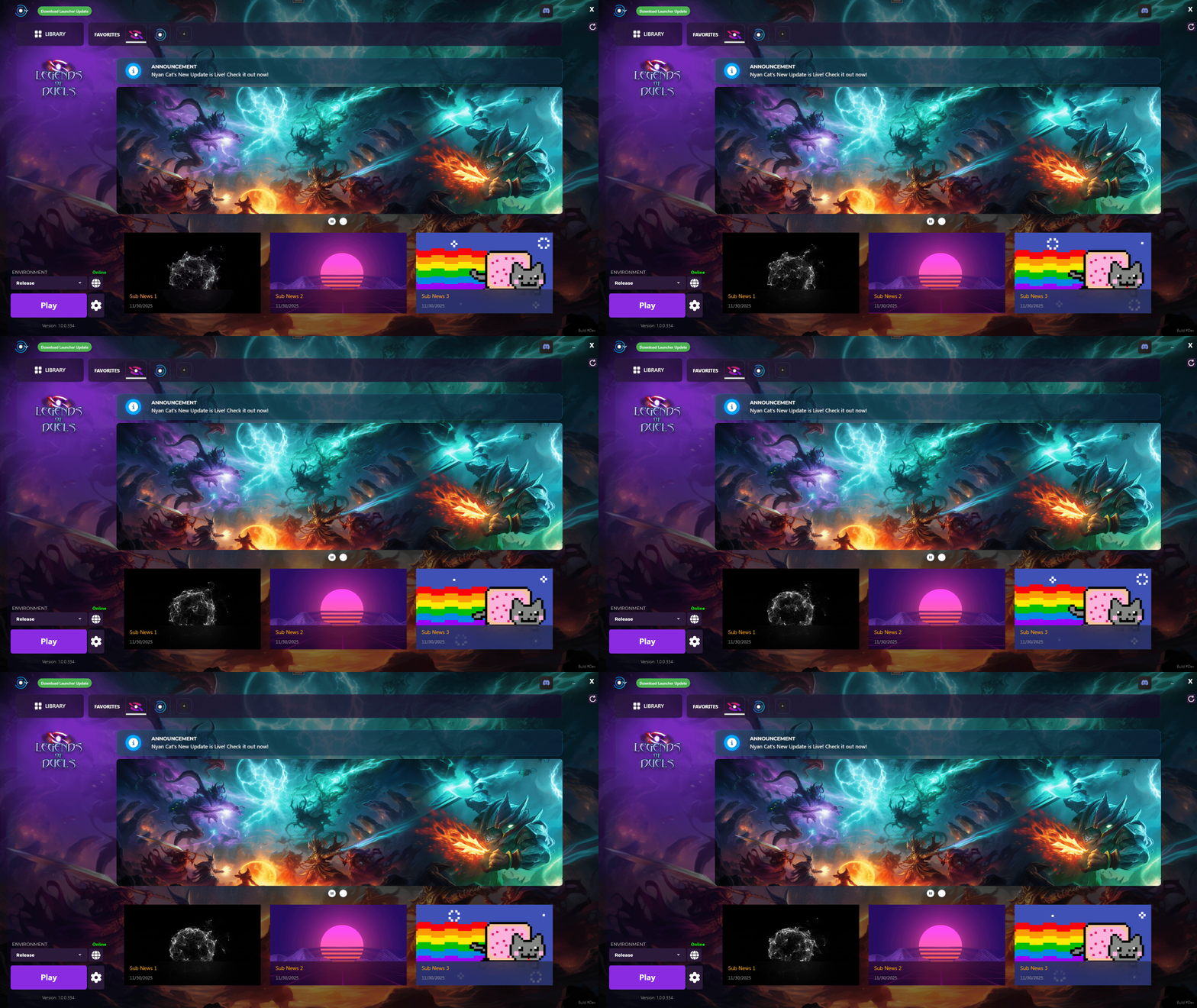
<div data-full-width="true"><figure><img src="/files/eiSjPkmthgQRM06Ljux9" alt=""><figcaption><p>Example Game with Purple Theme and Custom Background</p></figcaption></figure></div>

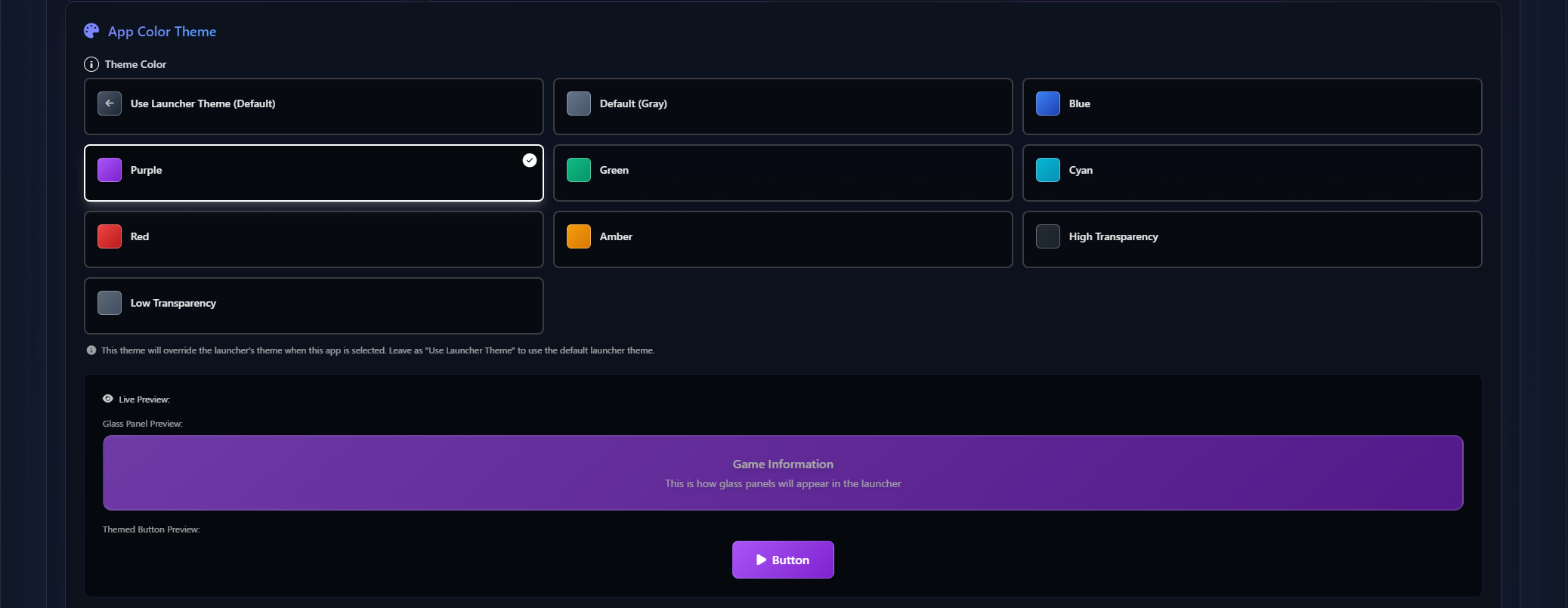
<div data-full-width="true"><figure><img src="/files/nqjBPHk2UnybjcmE3XAO" alt=""><figcaption><p>Available Themes in the Dashboard</p></figcaption></figure></div>

**What's New:**

* **Theme Manager** - New dynamic theming system with color presets
* **Custom Colors** - Choose theme colors for panels, buttons, and UI elements
* **Custom Backgrounds** - Set custom background images and opacity
* **Glass Panel Themes** - Configurable glass effects with dynamic opacity
* **Preset Support** - Pre-configured color schemes for quick theming
* **Live Updates** - Theme changes apply instantly without restart

**Appearance Options:**

* Panel background colors and transparency
* Button hover effects and backgrounds
* Glass blur effects and opacity
* Solid backgrounds for better readability

***

## 🖼️ Desktop Launcher - Custom Backgrounds, Overlay and Transparency

{% hint style="success" %}
**NEW FEATURE:** Set custom backgrounds for your launcher with per-app customization!
{% endhint %}

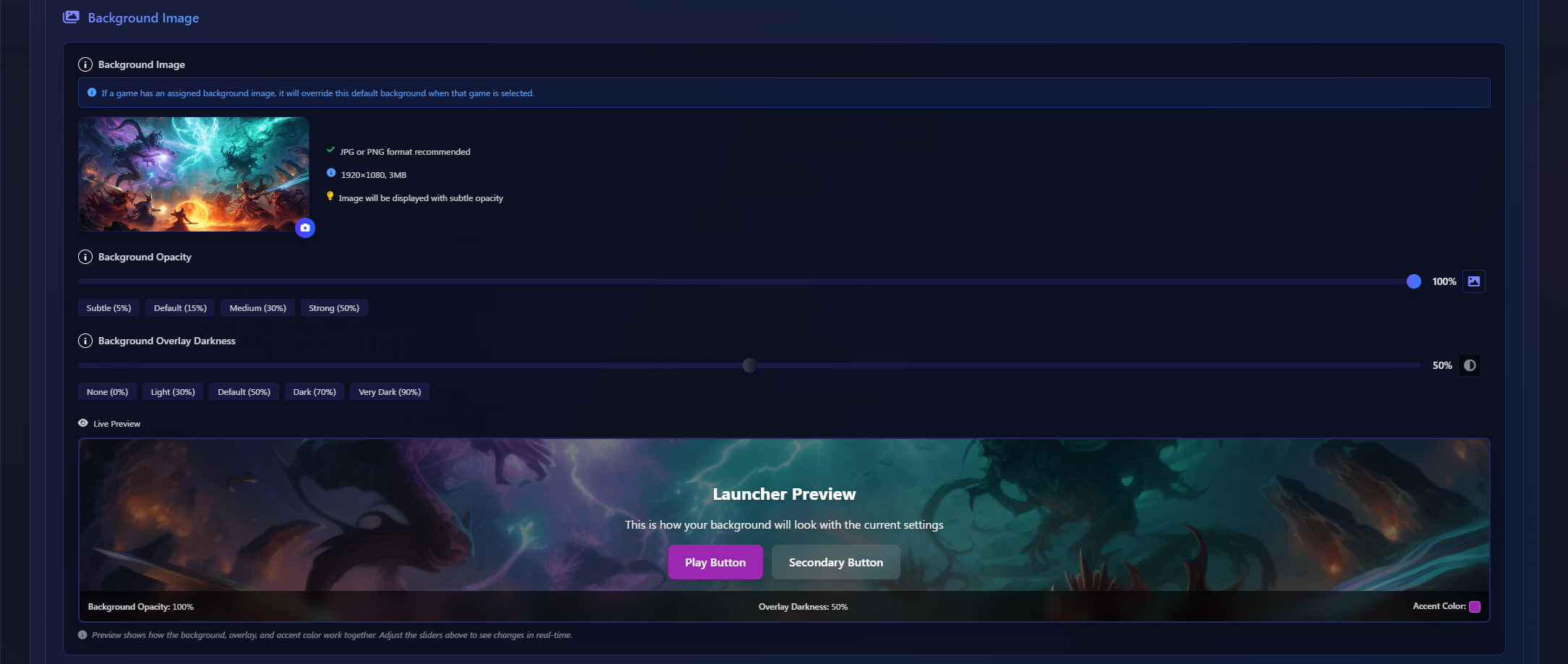
<div data-full-width="true"><figure><img src="/files/Gj0FOjFCf7fXQRagEiPo" alt=""><figcaption><p>Background Image for the Launcher</p></figcaption></figure></div>

<div data-full-width="true"><figure><img src="/files/kxbkpCCPsprqjQpc0SVf" alt=""><figcaption><p>Custom background for the app</p></figcaption></figure></div>

**What's New:**

* **Default Launcher Background** - Set a default background image for the entire launcher
* **Per-App Custom Backgrounds** - Override the default background for specific games/apps
* **Background Opacity Control** - Adjust background transparency (Subtle, Default, Medium, Strong)
  * Subtle (1%)
  * Default (15%)
  * Medium (30%)
  * Strong (50%)
* **Overlay Darkness Control** - Control background darkness with preset levels:
  * None (0%)
  * Light (30%)
  * Default (50%)
  * Dark (70%)
  * Very Dark (90%)
* **Live Preview** - See changes in real-time before applying to your launcher
* **Recommended Specs** - JPG or PNG format, 1920×1080, 5MB max
* **Subtle Opacity Display** - Backgrounds display with subtle opacity for better UI readability

**Perfect For:**

* Brand customization with your studio logo or artwork
* Game-specific backgrounds that match each title's theme
* Creating a unique launcher experience for your users

***

## ⚡ Desktop Launcher - Performance Optimizations

{% hint style="success" %}
**Major Performance Improvements!** Smoother animations and better resource management.
{% endhint %}

**Performance Enhancements:**

* **Performance Mode** - New mode that optimizes launcher during gameplay
* **Image Caching** - Improved preloading and caching system reduces flicker
* **GIF Optimization** - Enhanced GIF rendering with XamlAnimatedGif library
* **Async Loading** - Background images and icons load asynchronously
* **Window Drag** - Async DragMove implementation for smoother window movement
* **Faster Animations** - Reduced animation durations across all UI elements
* **Thread Safety** - Better thread management for image operations

**Visual Improvements:**

* **Reduced Effects** - Optimized blur and shadow effects for better performance
* **Hover Effects** - Enhanced hover darkening effects for news and game covers
* **Resource Management** - Better memory usage with improved image loading

***

## 🌍 Desktop Launcher - Environment Management & Environments with Access Codes

{% hint style="success" %}
**Better Environment Control!** Aliases, enable/disable functionality, and beta access codes.
{% endhint %}

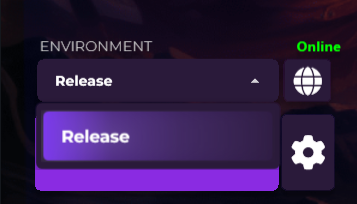
<figure><img src="/files/jbj9HmNc8JsKWj51kHaZ" alt=""><figcaption><p>NEW: Private Betas</p></figcaption></figure>

<div data-full-width="true"><figure><img src="/files/cnkqZc7tUbXB2RkDNX60" alt=""><figcaption><p>App Environments (Production has "Released" alias, Staging is Disabled, and New is a Hidden environment)</p></figcaption></figure></div>

<p align="center">↓</p>

<figure><img src="/files/T6ASvPYyljd3rX8YBCgA" alt=""><figcaption><p>Production Environment is show as "Released", Staging is disabled completely, and "New" is hidden until the user verify the code</p></figcaption></figure>

**What's New:**

* **Hidden Environments with Access Codes** - Developers can now:
  * **Hide Environments** - Mark environments as hidden from regular users
  * **Set Access Codes** - Add a code that only authorized users can enter
  * **User Control** - Users can unlock hidden environments by entering the access code in the launcher
  * **Perfect for Beta & Testing** - Control when and who gets access to staging, beta, or testing environments
* **Environment Aliases** - Display friendly names for environments
* **Enable/Disable** - Toggle environments on/off without removing them
* **Better Selection** - Improved environment selection interface
* **Library Control** - Renamed "All Games" to "Library" for clarity

***

## 🎨 Dashboard - Dynamic Theming & Environment Access

{% hint style="success" %}
**NEW FEATURE:** Dashboard now supports dynamic theme customization and beta environment access!
{% endhint %}

**Launcher Appearance Customization:**

* **Custom Backgrounds** - Upload custom background images for your launcher
* **Appearance Options** - Configure visual settings directly from the dashboard
* **Live Preview** - See changes before deploying to users
* **Easy Management** - Update launcher appearance without rebuilding

**Environment Management:**

* **Hidden Environments with Access Codes** - Developers can now:
  * **Hide Environments** - Mark environments as hidden from regular users
  * **Set Access Codes** - Add a code that only authorized users can enter
  * **User Control** - Users can unlock hidden environments by entering the access code in their launcher
  * **Perfect for Beta & Testing** - Control when and who gets access to staging, beta, or testing environments
* **Environment Aliases** - Configure friendly display names for environments
* **Environment Visibility** - Toggle environment visibility directly from settings
* **Assignment Warnings** - Clear warnings when assigning apps to launchers
* **Environment Editing** - New dialog for editing environment settings with validation

***

## 🎯 Desktop Launcher - UI/UX Improvements

{% hint style="info" %}
**Smart UI Adaptation!** Launcher interface now adapts based on launcher type and content.
{% endhint %}

**Adaptive Interface:**

* **Single-App vs Multi-App Detection** - Library panel and AllGamesControl automatically hide for Single-App launchers
* **Smart Slideshow** - Slideshow player controls hide automatically when only one news item exists
* **Smart Executable Dropdown** - Secondary executable dropdown only shows when in play status and secondary executable is enabled, hidden in all other states
* **Dynamic Layout** - UI elements adjust automatically for a cleaner, context-appropriate experience

***

## 🔧 Technical Improvements & Bug Fixes

**Code Quality:**

* **Code Refactoring** - Cleaner codebase with better organization
* **Dynamic Resources** - Enhanced ComboBox UI with theme-based styling
* **Library Updates** - Updated to XamlAnimatedGif for better GIF support
* **Image Loading** - Refactored to use async/await and HttpClient
* **UI Controls** - Improved SubNews control management

**Bug Fixes:**

* **Launcher Icon Update** - Fixed launcher icon in main window not updating correctly
* **SubNews Layout** - SubNews now adjusts position downward for consistency when announcements are hidden or panels adapt to launcher type
* **Image Flicker** - Fixed flicker issues in background and favorite game icons
* **Logo Blur** - Renamed Icon\_Blur to Logo\_Blur for consistency
* **Glass Backgrounds** - Added GlassBackgroundSolid brush for opaque UI elements
* **Thread Safety** - Fixed race conditions in image cache operations

***

{% hint style="success" %}
**Update Now!** Download the latest desktop launcher to experience all these improvements and features.
{% endhint %}


---

# Agent Instructions: Querying This Documentation

If you need additional information that is not directly available in this page, you can query the documentation dynamically by asking a question.

Perform an HTTP GET request on the current page URL with the `ask` query parameter:

```
GET https://gamelauncher.cloud/help/changelog/2025/november-30-2025.md?ask=<question>
```

The question should be specific, self-contained, and written in natural language.
The response will contain a direct answer to the question and relevant excerpts and sources from the documentation.

Use this mechanism when the answer is not explicitly present in the current page, you need clarification or additional context, or you want to retrieve related documentation sections.