# December 4, 2025

***

## 🚀 Desktop Launcher - Simultaneous Game Execution

{% hint style="success" %}
**NEW FEATURE:** Run multiple games at the same time!
{% endhint %}

Game launchers now support running multiple games simultaneously. Perfect for testing, multi-boxing, or running different games at once.

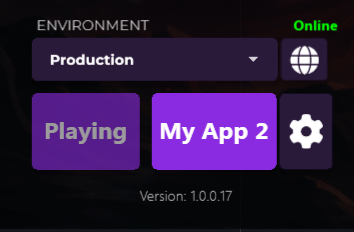
<figure><img src="/files/WWArxMo5n5S3Us6eqhVR" alt=""><figcaption><p>One App is Playing and the other is ready to be executed</p></figcaption></figure>

**What's New:**

* **Multi-Game Support** - Launch multiple games without closing others
* **Improved Performance** - Optimized resource handling for concurrent execution
* **Flexible Configuration** - Enable or disable based on your needs

***

## 🎨 Launcher Panel - Configurable Logo Height

{% hint style="success" %}
**CUSTOMIZATION:** Adjust logo height to match your design!
{% endhint %}

<div data-full-width="true"><figure><img src="/files/SVZO2uWi3yeqkyQVBgYe" alt=""><figcaption><p>Blue Effect &#x26; Logo Preview</p></figcaption></figure></div>

**What's New:**

* **Adjustable Logo Size** - Configure logo dimensions in launcher settings
* **Better Visual Control** - Match your branding perfectly

**Where to Configure:**

1. **App Settings** → Settings → Appearance Settings → Accent Color → Logo Size
2. Set your preferred height value
3. Preview changes in real-time

***

## 🔗 Launcher - Large Link Button Style

{% hint style="success" %}
**NEW STYLE:** Large button option for better visibility!
{% endhint %}

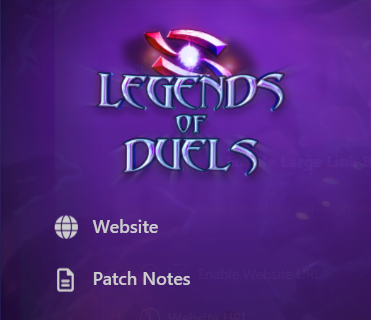
<figure><img src="/files/U1FzKHmsansuEJR6uXX9" alt=""><figcaption><p>NEW - Large Links Buttons in the Launcher</p></figcaption></figure>

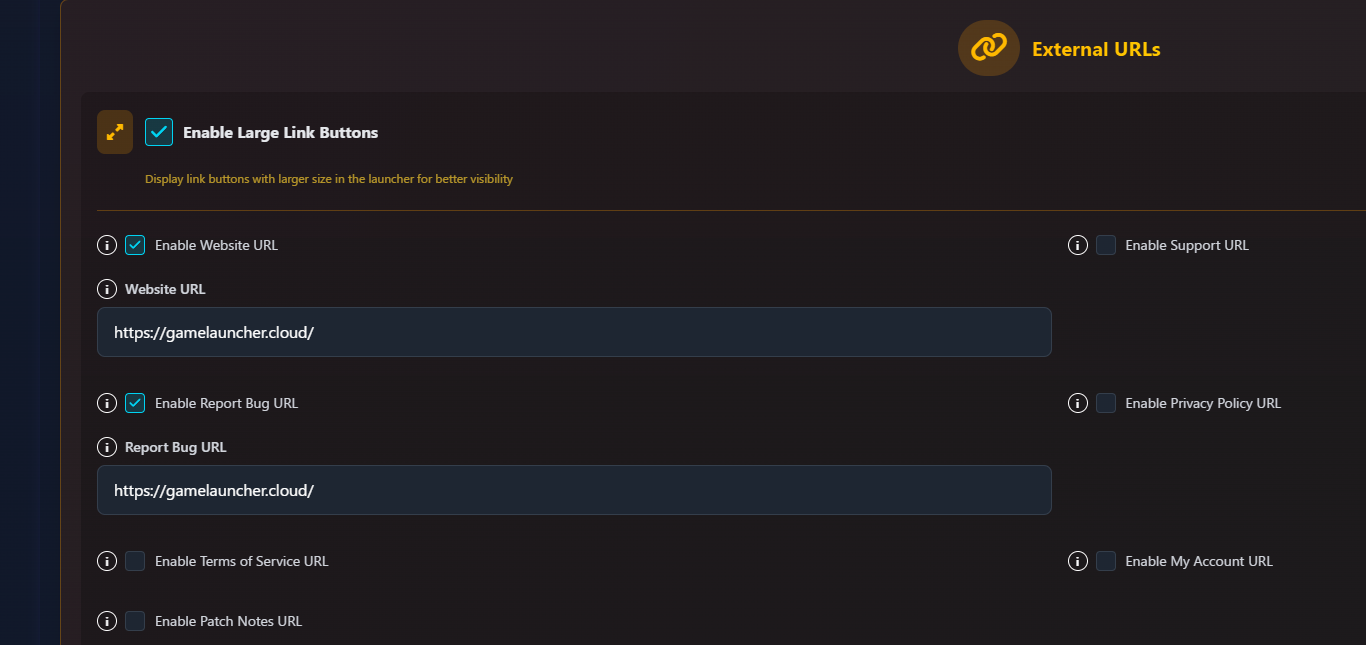
<figure><img src="/files/lxLXXnuuzbQAJ4JYjQnd" alt=""><figcaption><p>NEW - Enable Large Link Buttons in the Dashboard</p></figcaption></figure>

**What's New:**

* **Large Button Option** - More prominent link buttons for better user engagement
* **Enhanced Visibility** - Improved click area and visual hierarchy
* **Style Options** - Choose between standard and large button styles

**Usage:**

* Configure in App Settings → Appearance → Link Buttons
* Check **"Enable Large Link Buttons"**

***

## 🔒 Launcher - Fixed Terms and Privacy URLs

{% hint style="success" %}
**BUG FIX:** Terms of Service and Privacy Policy links now work correctly in the Launcher!
{% endhint %}

<figure><img src="/files/0EO852CcbkvUCOQkt1P5" alt=""><figcaption><p>Terms of Service and Privacy Notice buttons in the Launcher</p></figcaption></figure>

**What's Fixed:**

* **Working Links** - Terms and Privacy Policy pages now load properly
* **Correct URLs** - All legal document links point to the right locations

***

## 🛠️ Desktop Launcher - Fixed Installation for Missing Builds

{% hint style="success" %}
**BUG FIX:** Installation now works correctly when build files are missing or deleted!
{% endhint %}

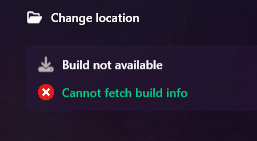
<figure><img src="/files/Ed1IKDAzRcMAFQdYV5dv" alt=""><figcaption><p>Installation Window - New error message</p></figcaption></figure>

**What's Fixed:**

* **Robust Installation** - Launcher handles missing builds gracefully
* **File Recovery** - Automatically re-downloads files when deleted or corrupted
* **Environment Stability** - Installations work correctly even when build doesn't exist
* **Error Handling** - Better error messages and recovery options

**Impact:**

* Users can now install games even if the build was deleted from the environment
* Improved reliability for installation processes
* Better handling of edge cases and file system errors

***

## ✨ Summary

| Feature                           | Status   |
| --------------------------------- | -------- |
| Simultaneous Game Execution       | ✅ Added  |
| Configurable Logo Height          | ✅ Added  |
| Large Link Button Style           | ✅ Added  |
| Fixed Terms & Privacy URLs        | 🐛 Fixed |
| Fixed Installation Missing Builds | 🐛 Fixed |

***

{% hint style="success" %}
**NOW AVAILABLE!**\
\- Use SHIFT + F5 to refresh your browser cache and see the changes in the dashboard!\
\- Update your desktop launcher to access all these new features and improvements!
{% endhint %}


---

# Agent Instructions: Querying This Documentation

If you need additional information that is not directly available in this page, you can query the documentation dynamically by asking a question.

Perform an HTTP GET request on the current page URL with the `ask` query parameter:

```
GET https://gamelauncher.cloud/help/changelog/2025/december-4-2025.md?ask=<question>
```

The question should be specific, self-contained, and written in natural language.
The response will contain a direct answer to the question and relevant excerpts and sources from the documentation.

Use this mechanism when the answer is not explicitly present in the current page, you need clarification or additional context, or you want to retrieve related documentation sections.