> For the complete documentation index, see [llms.txt](https://gamelauncher.cloud/help/llms.txt). Markdown versions of documentation pages are available by appending `.md` to page URLs; this page is available as [Markdown](https://gamelauncher.cloud/help/changelog/2025/december-3-2025.md).
# December 3, 2025
Launchers sidebar dropdown, deploy status indicators, Christmas decoration, and Figma image templates. Remember to use SHIFT + F5 to refresh your browser cache and see the changes!
***
## 🎄 Dashboard - Christmas Decoration
{% hint style="success" %}
**SEASONAL UPDATE:** Festive Christmas decorations added to the dashboard!
{% endhint %}
Celebrate the season with holiday-themed UI elements throughout the platform!
If you prefer you can deactivate them in\
[**User -> Profile -> Settings -> Disable Christmas Decorations**](https://app.gamelauncher.cloud/user/profile)
***
## 📦 Dashboard - Launchers Sidebar Dropdown
{% hint style="success" %}
**NEW FEATURE:** Expanded launcher management with dropdown sidebar menu!
{% endhint %}
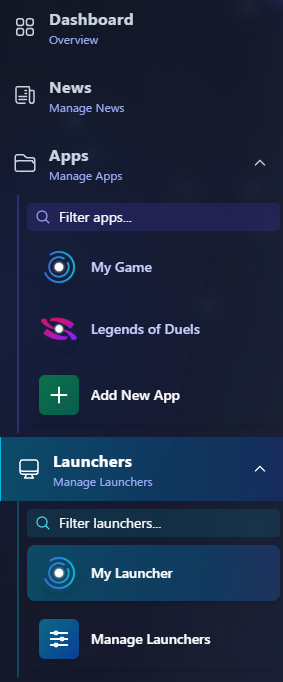
NEW - Launcher Sidebar Dropdown
**What's New:**
* **Launcher Dropdown** - Quick access to all launchers from the sidebar
* **Better Navigation** - Organized view of all your launchers
* **Quick Status Check** - See launcher information at a glance
***
## 🚀 Dashboard - Launcher Deploy Status
{% hint style="success" %}
**FEATURE:** See which launchers need deployment!
{% endhint %}
NEW - View Launcher Deploy Status
**What's New:**
* **Deploy Status** - Visual indicators showing if a launcher needs deployment
* **Real-time Updates** - Status updates automatically
* **Quick Overview** - See deployment status in the launchers sidebar
***
## 📐 Designer Tools - Figma Image Templates
{% hint style="success" %}
**NEW FEATURE:** Direct access to Figma image templates with correct specifications!
{% endhint %}
**Access Image Templates:**
[**Game Launcher Cloud - Image Templates**](https://www.figma.com/community/file/1578217481456529545)
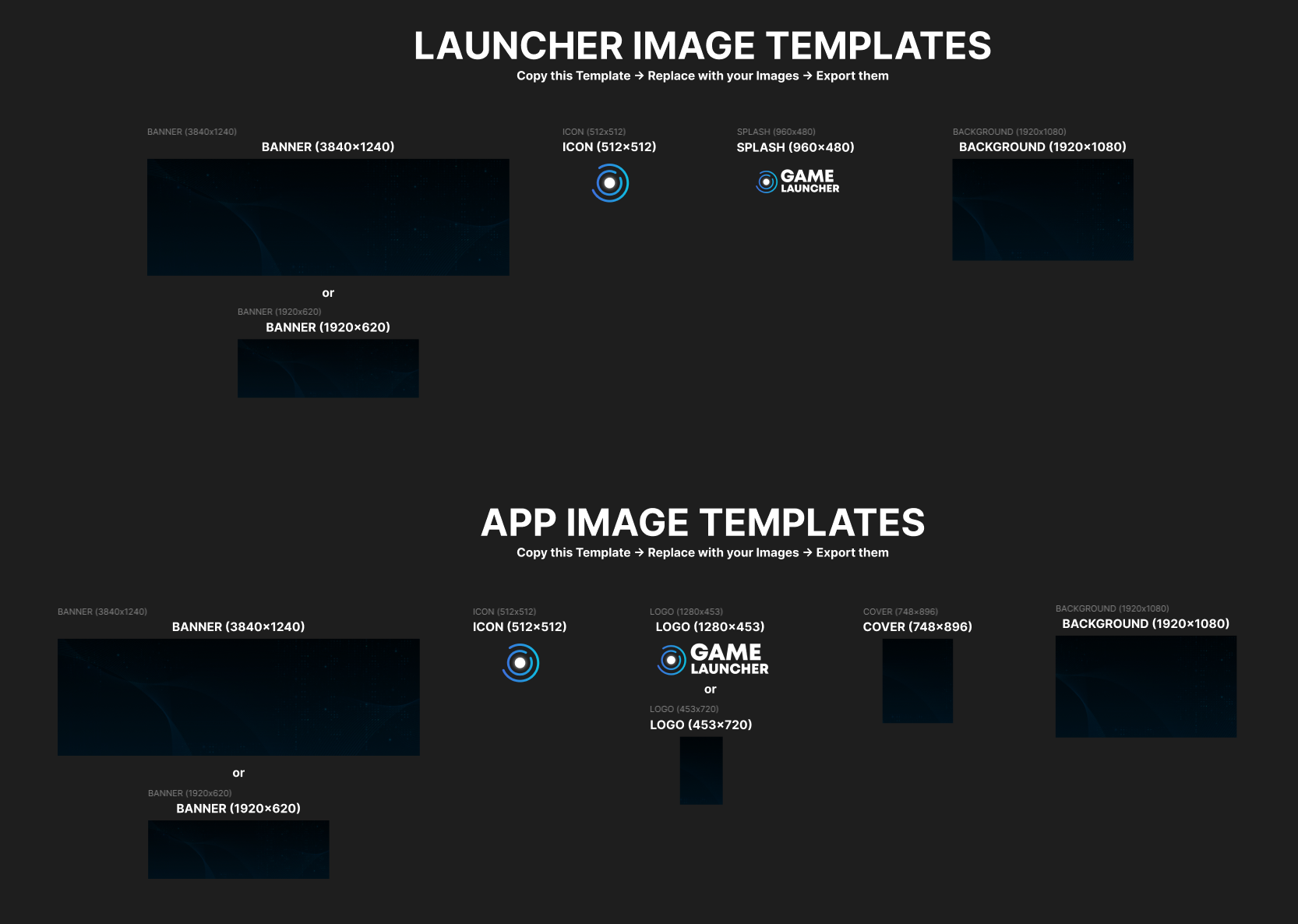
App & Launcher Image Templates in Figma
NEW - View Templates in App/Launcher Settings
**What's New:**
* **Figma Templates Link** - Direct access to image templates in Appearance settings
* **Correct Dimensions** - All templates include proper dimensions and formats
* **One-Click Access** - View templates button in Appearance settings for both launchers and apps
**Where to Find:**
1. **Launchers:** Settings → Appearance → Image Assets → [View Templates](https://www.figma.com/community/file/1578217481456529545)
2. **Apps:** Settings → Appearance → Image Assets → [View Templates](https://www.figma.com/design/R1Nnin71a4Rb01X94MqjF6/Game-Launcher-Cloud---Image-Templates?node-id=0-1\&t=bD05CryKw1Lo3HPE-1)
**Template Includes:**
* Icon, Logo, Splash, Banner, Background specifications
* Recommended dimensions and file sizes
* Best practices for image creation
***
## ✨ Summary
| Feature | Status |
| -------------------------- | ------- |
| Christmas Decoration | ✅ Added |
| Launchers Sidebar Dropdown | ✅ Added |
| Deploy Status Indicators | ✅ Added |
| Figma Image Templates Link | ✅ Added |
***
{% hint style="success" %}
**Now available!** Use SHIFT + F5 to refresh your browser cache and see the changes!
{% endhint %}